
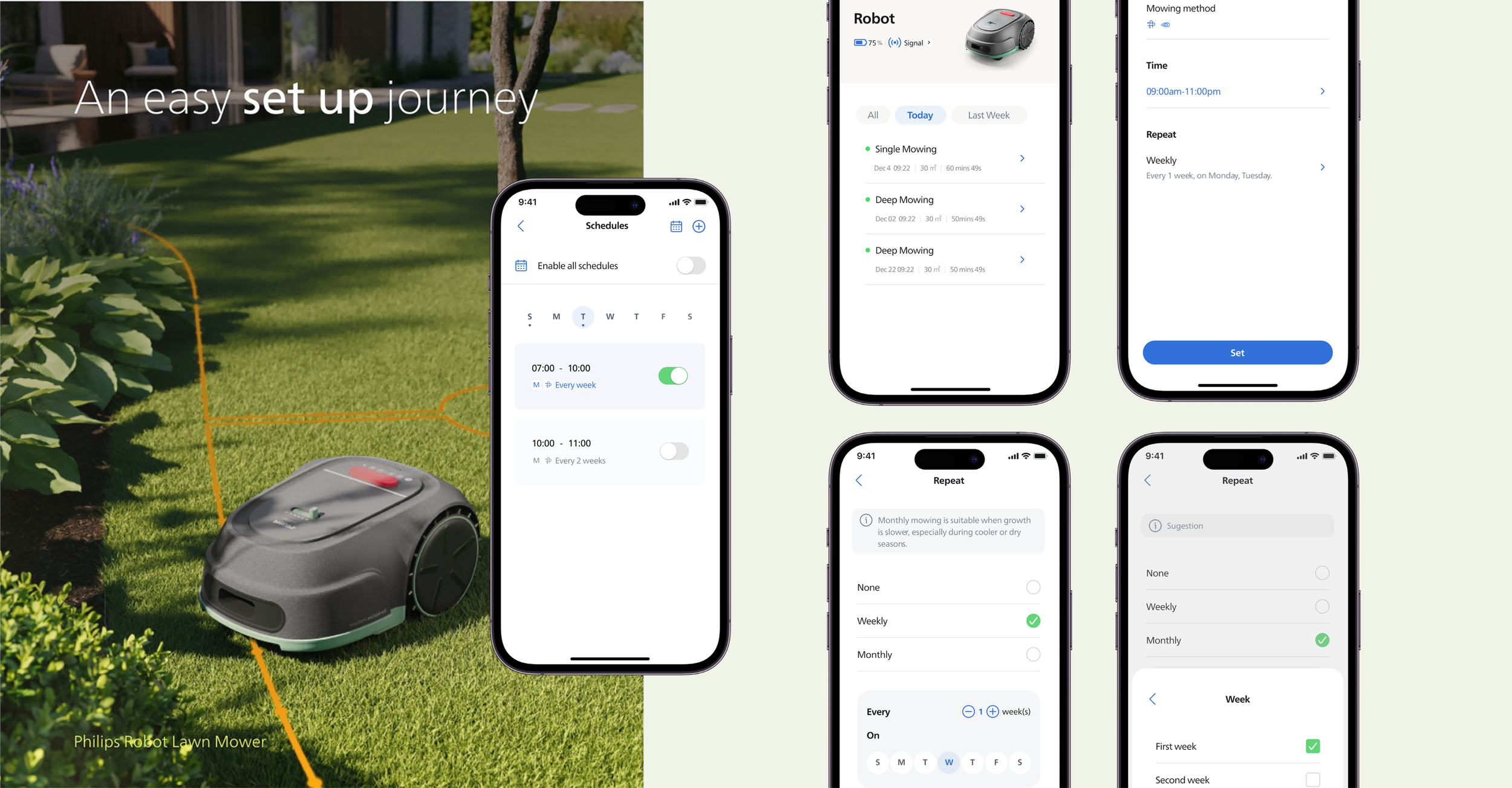
Redesigning the Scheduling Experience
A redesigned scheduling experience focused on reducing setup friction, supporting recurring tasks, and enabling long-term, reliable use.
User research, UX UI Design, User Testing
Period
May 2025 – July 2025
Role
Product Designer
Contribution
Project management, UX/UI design, User Testing, Design Iteration
Analysis user journey
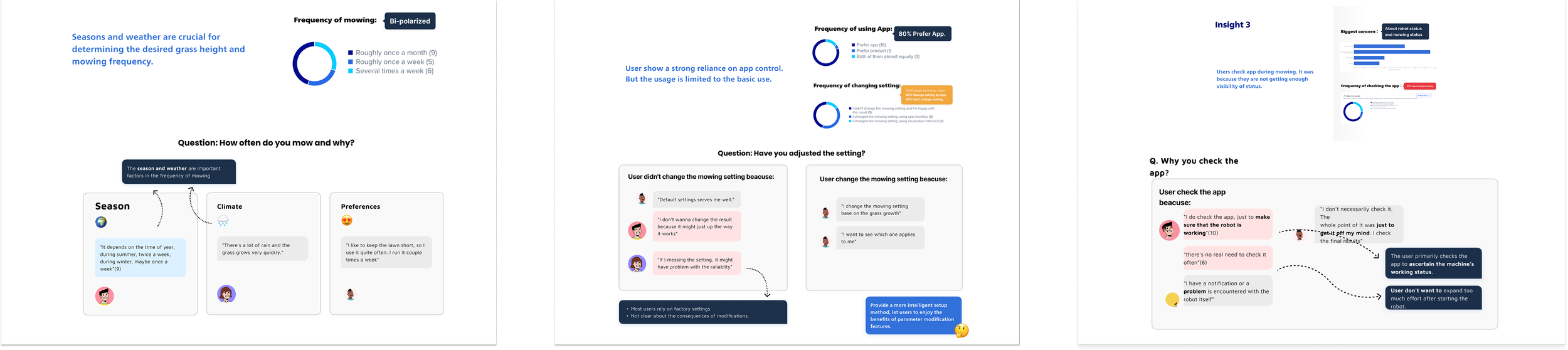
Based on the user interviews, I created a user journey map to analyze current pain points across the entire usage process. For instance, some users mentioned they didn't want to constantly check the app to confirm the status but still needed assurance that it was functioning correctly, while others expressed concerns that altering settings might compromise reliability. This analysis helps me determine the appropriate design solutions to offer users at each stage of the journey.
Define
Insights
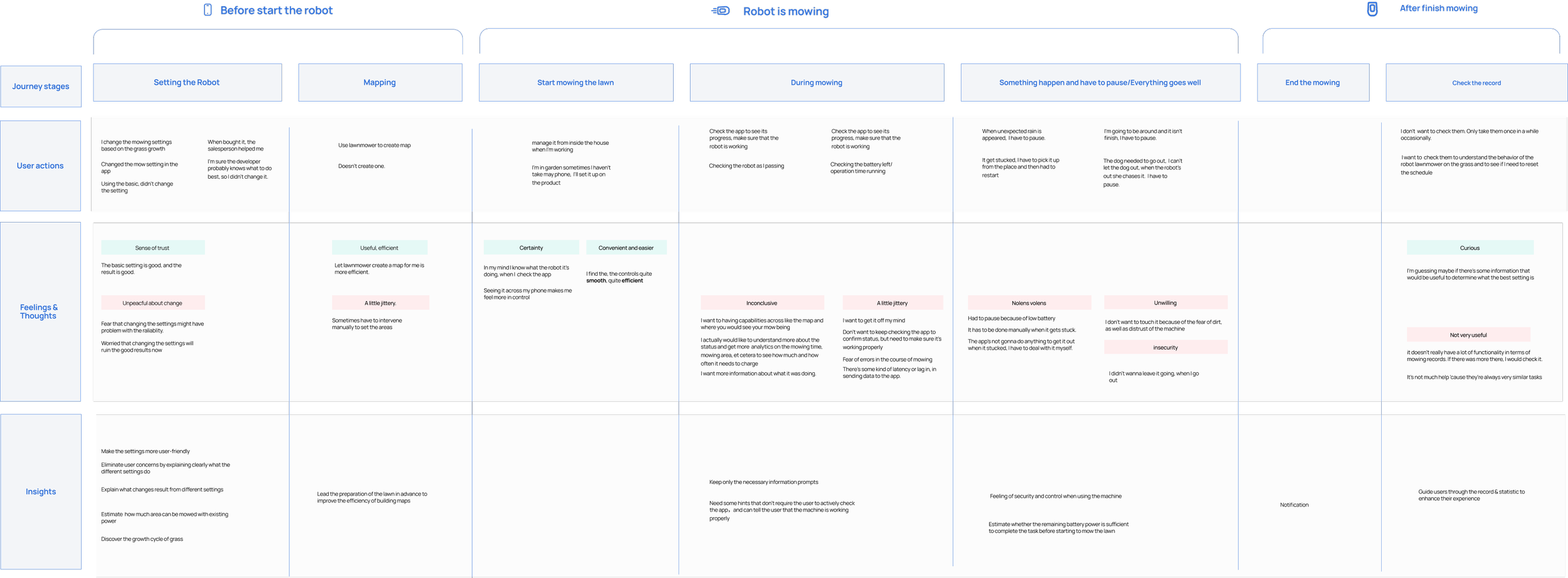
What users actually told us
I built prototypes of the schedule main page and schedule setting page and history review page with real users.
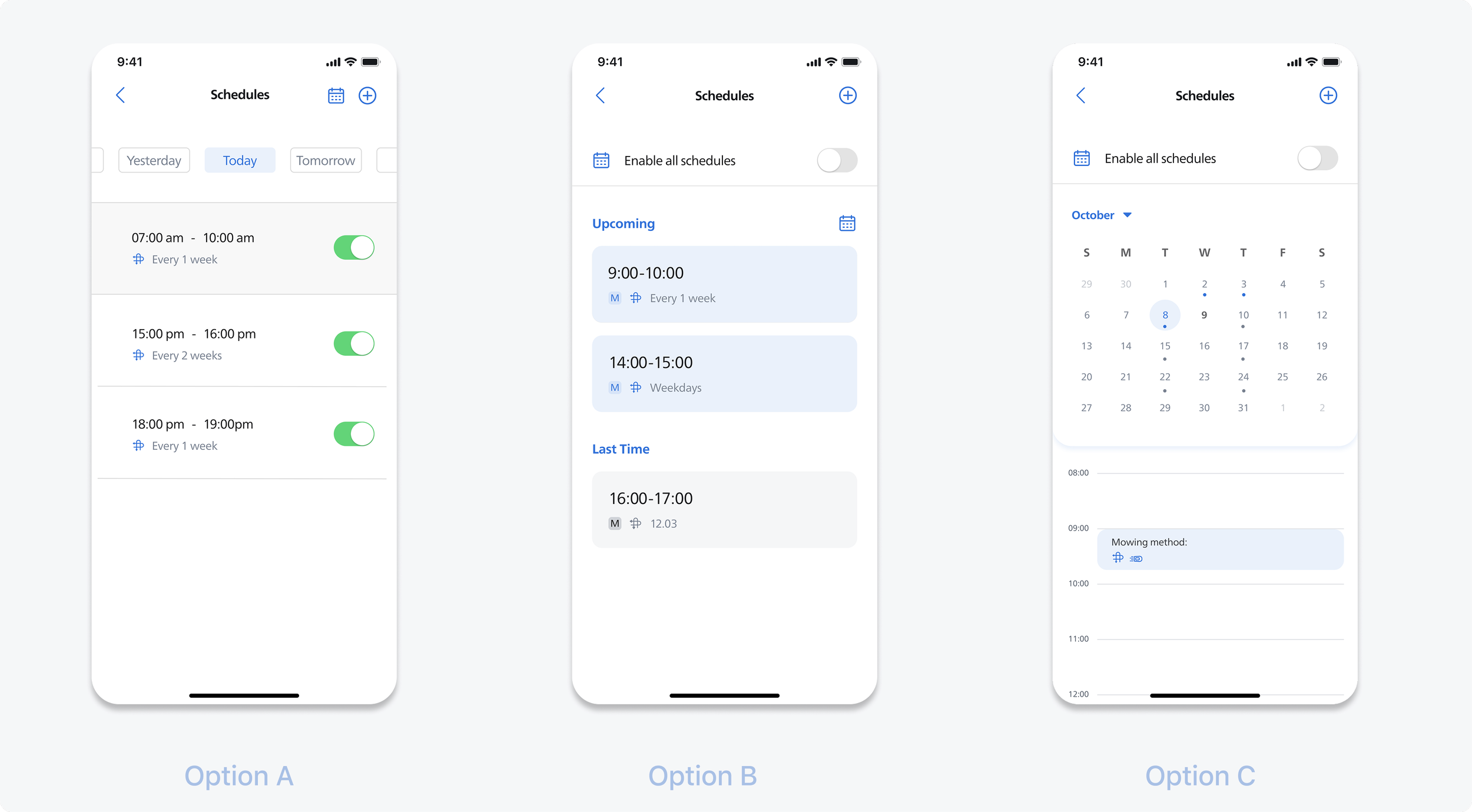
Schedule main page
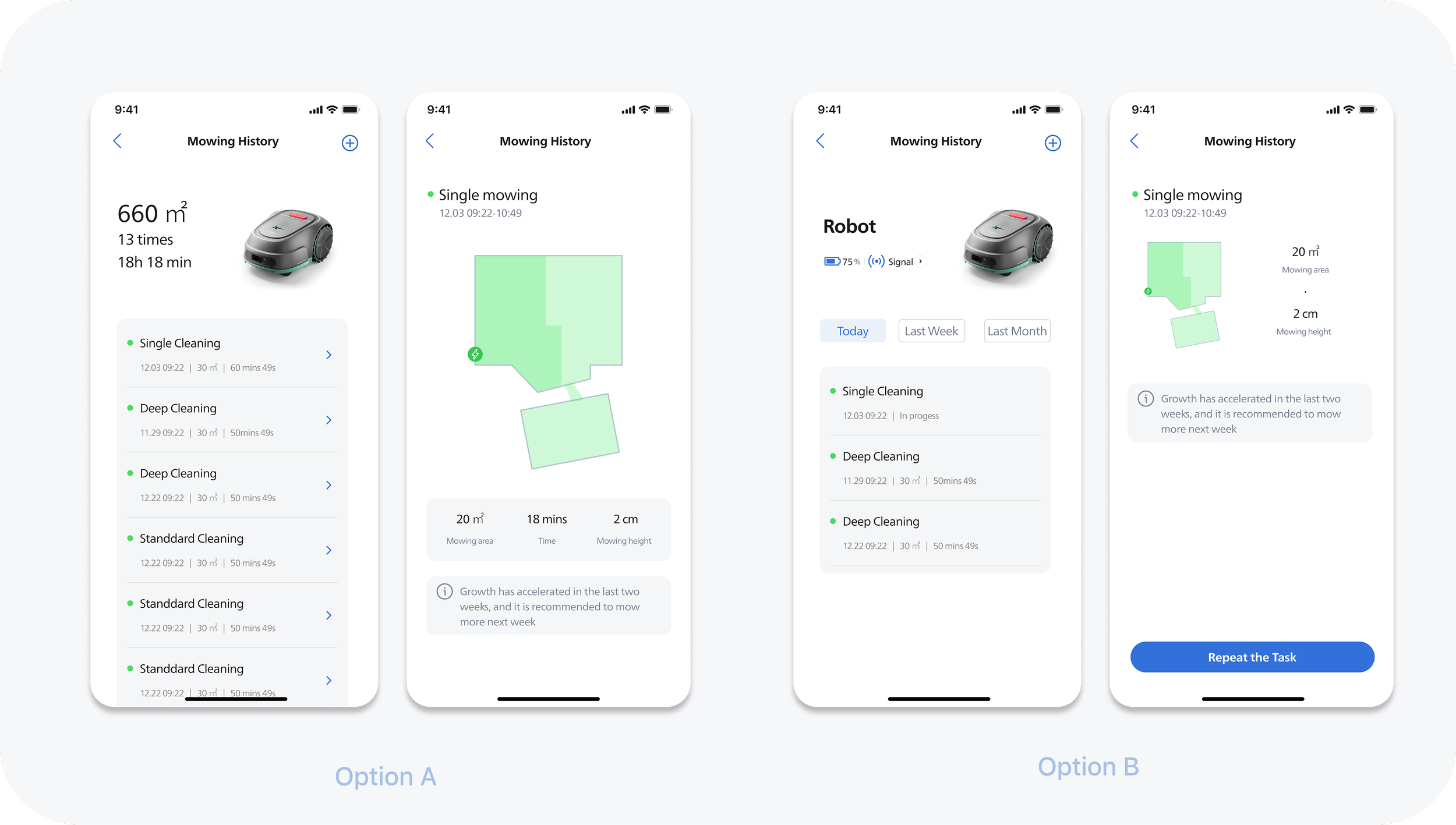
Users expressed a greater focus on the specific tasks assigned to the mower for the day; some noted that the ability to disable only the current day's tasks within a long term task would be highly beneficial. Regarding Option B, some users felt that displaying all active tasks would be overwhelming and detrimental to effective task management.
Introduction
The scheduling feature is one of the most frequently used functions in the lawn mower app,
Yet user research and data revealed several key issues:
High usage frequency but low satisfaction
Frequent complaints about unclear and confusing setup
Further analysis showed that the core problem is not just usability, but a mismatch between user decision-making needs and the system’s rigid time-based logic.
Research
The current workflow with these issues:
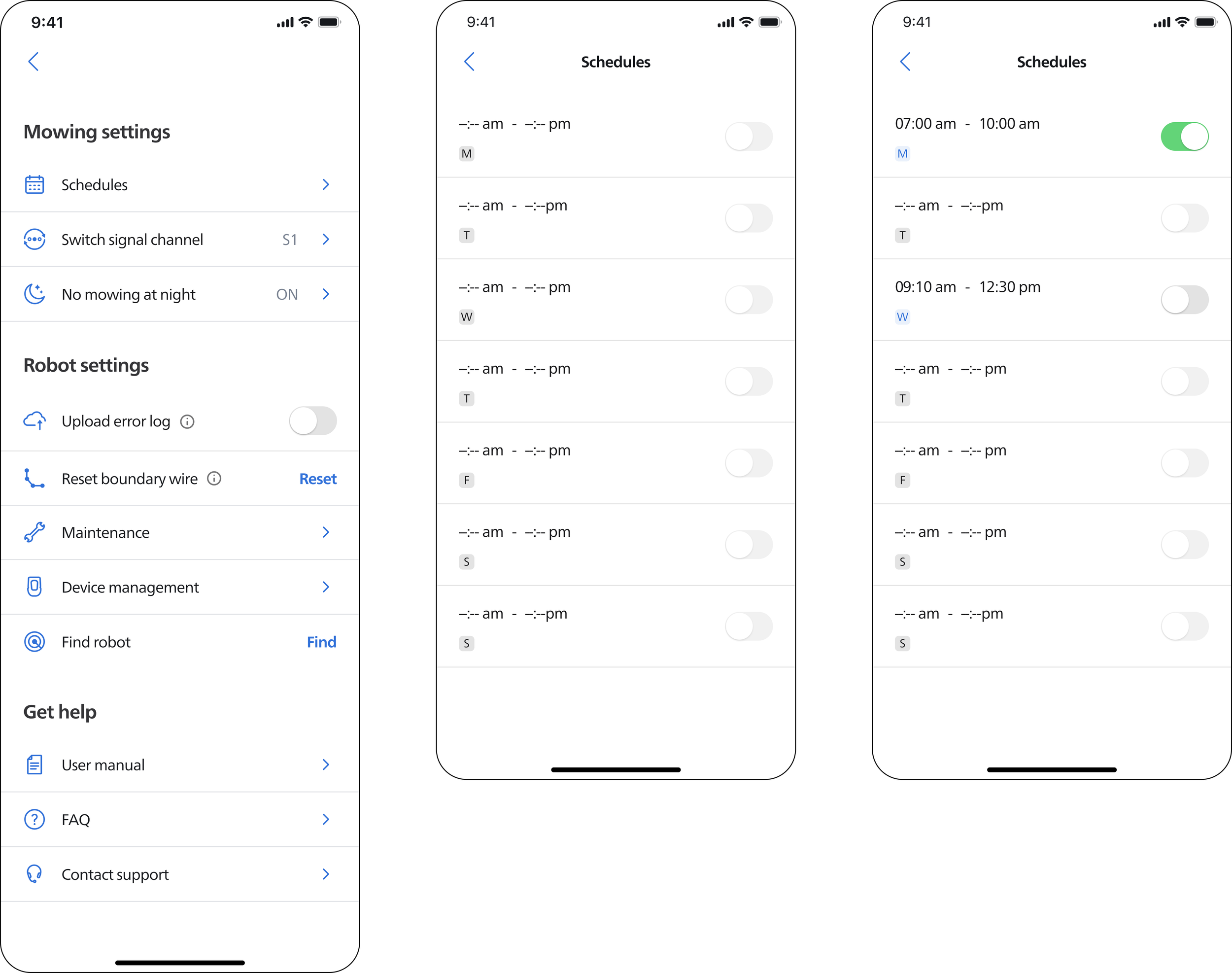
Before users use the mower to cut the lawn, they can either start from the mower itself or use the app to make a schedule to pre-set the tasks.
There is no history of past appointments
User need to set the task everytime
How does the current workflow works?
Understand the user behavior
Rather than jumping straight into sketching, I wanted to understand the reasons behind the numerous complaints and the extremely low usage rate of this feature; our goal is to enable seamless integration between the product and the app, thereby creating a smooth smart home interaction experience.
That is why I conducted user interviews to gain insight into our users.
The core problems need to solve and also the key insights from previous research

Ideation
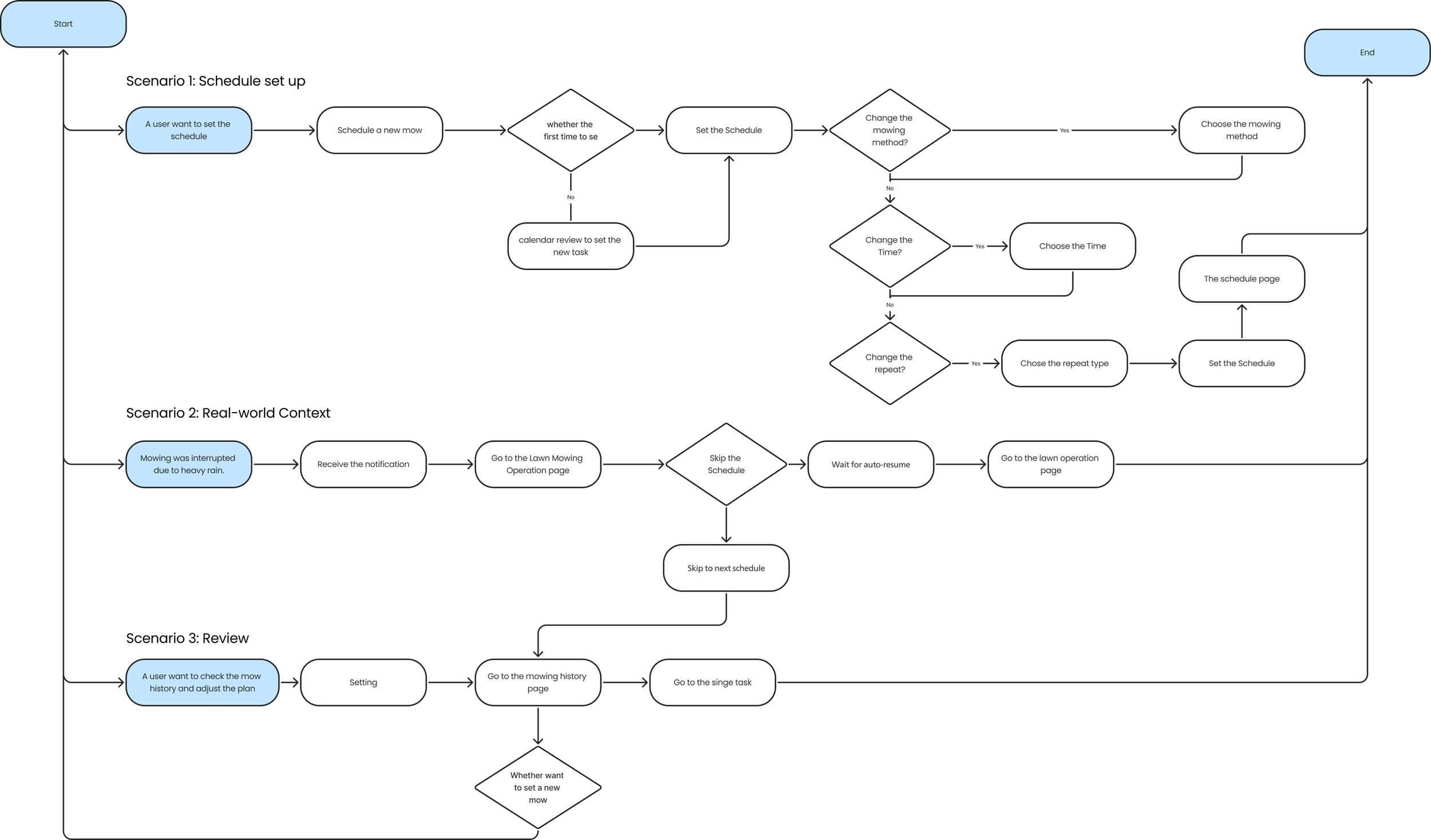
I mapped out user flow for key scenarios—setting the schedule, verifying successful mower operation, and reviewing past mowing records—to determine whether the user flow remains seamless throughout the entire cycle.
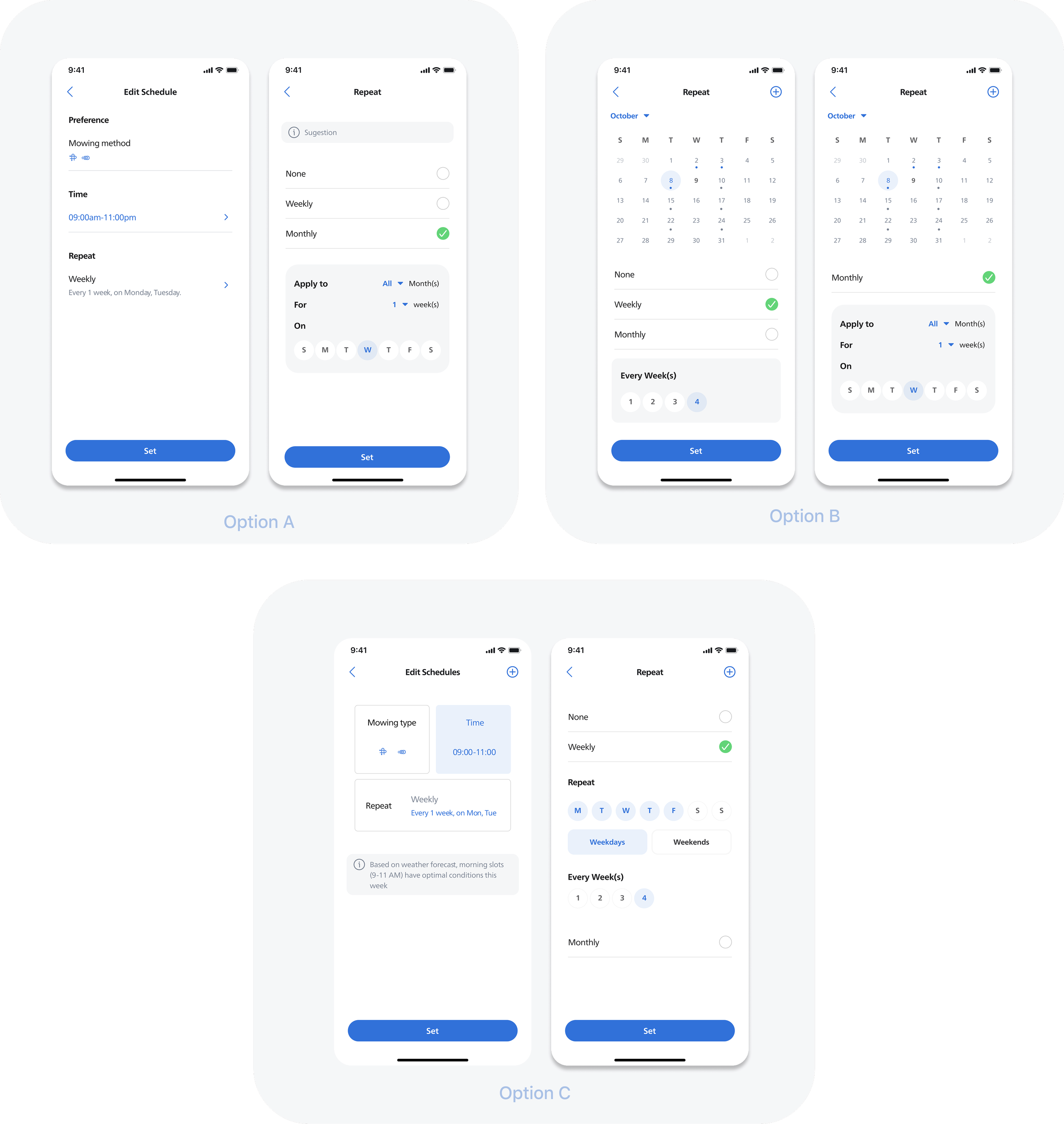
Schedule Setting Page
Providing too much information at once increases the cognitive load on users; some have reported uncertainty about which button to click. Option A strikes a good balance regarding information density.
History review
Consideration was given to defining the boundaries of the history log: specifically, whether the user's interaction ends after simply viewing the records, or whether the history log can also serve as a starting point for initiating tasks.
Main page
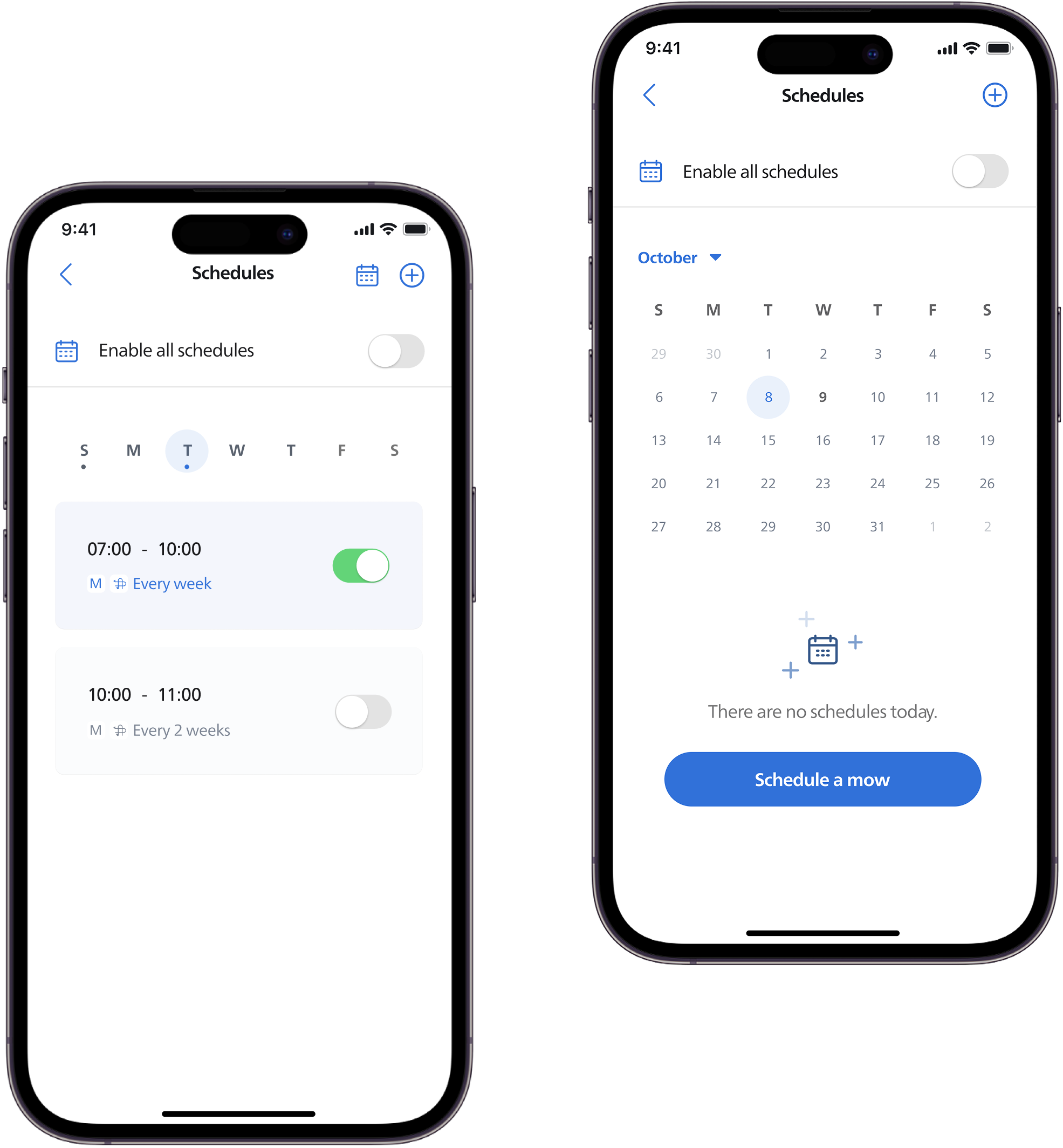
The new version adds a calendar view. Existing users can review past tasks, while new users are guided to this page as an entry point.
Final Design
Key Features
Scheduling Setup
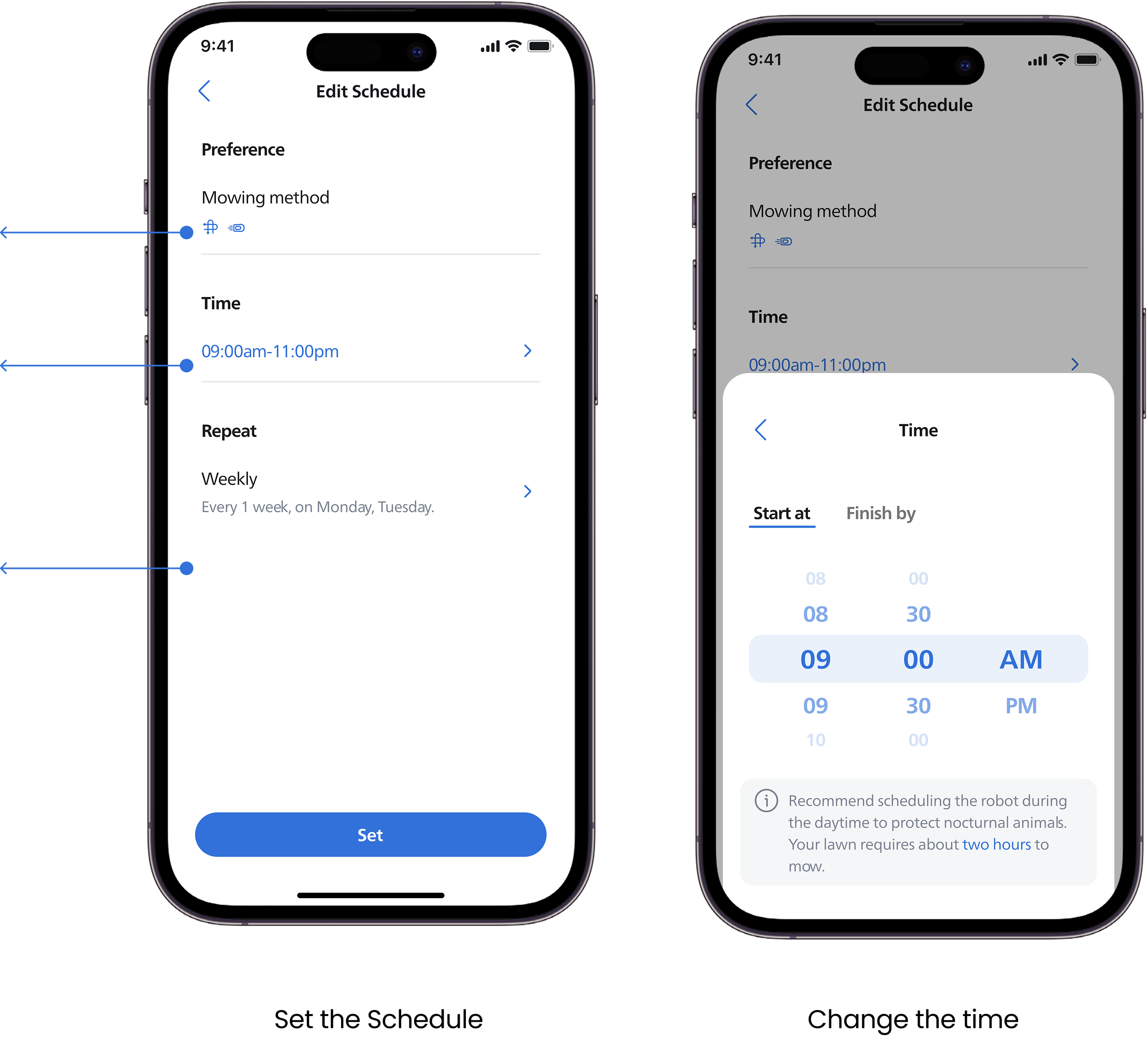
The edit page is presented with default settings, allowing users to make quick adjustments based on them.
Provides mowing options to better adapt to different usage needs
Time settings are redesigned to be more intuitive and easy to adjust
Offers more flexible scheduling options, allowing users to set appointments more freely
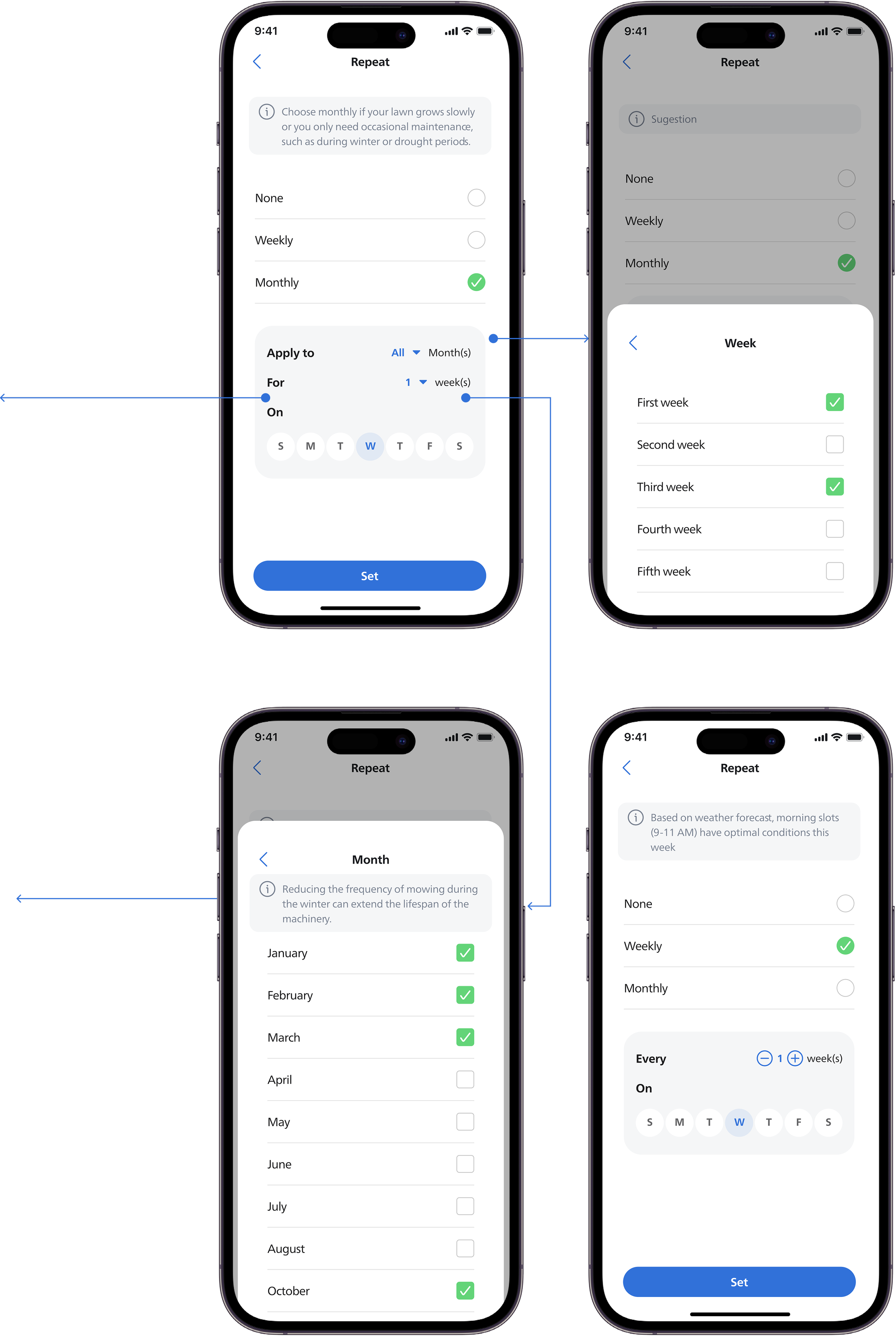
Choose the Repetition
By Month: When users want to create a long-term plan, they can make precise adjustments by filtering by month, week, and day.
The system also provides suggestions on the optimal mowing duration based on the current lawn condition.
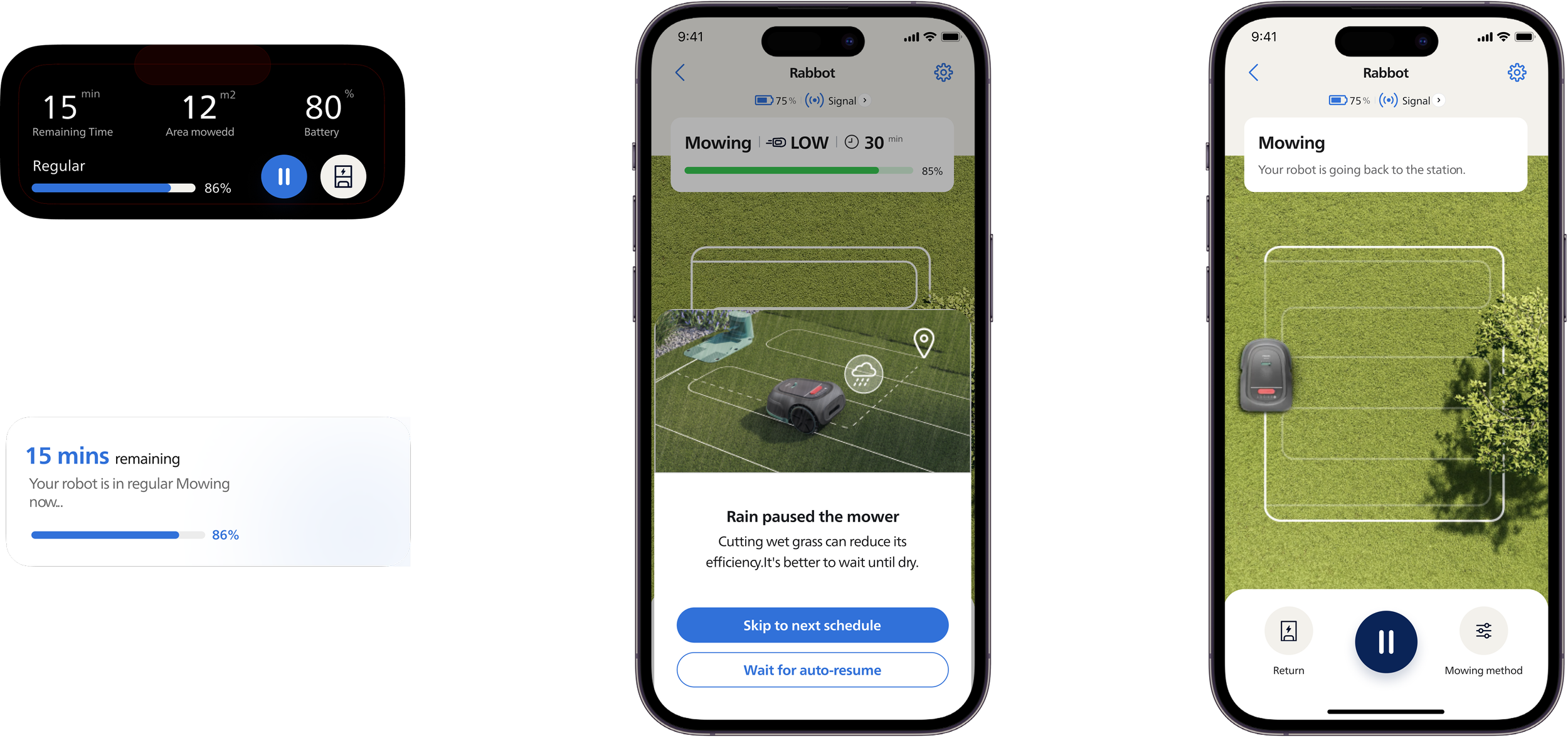
If users choose to skip to the next schedule, they can check the mowing history to review completed areas
Mowing Summary
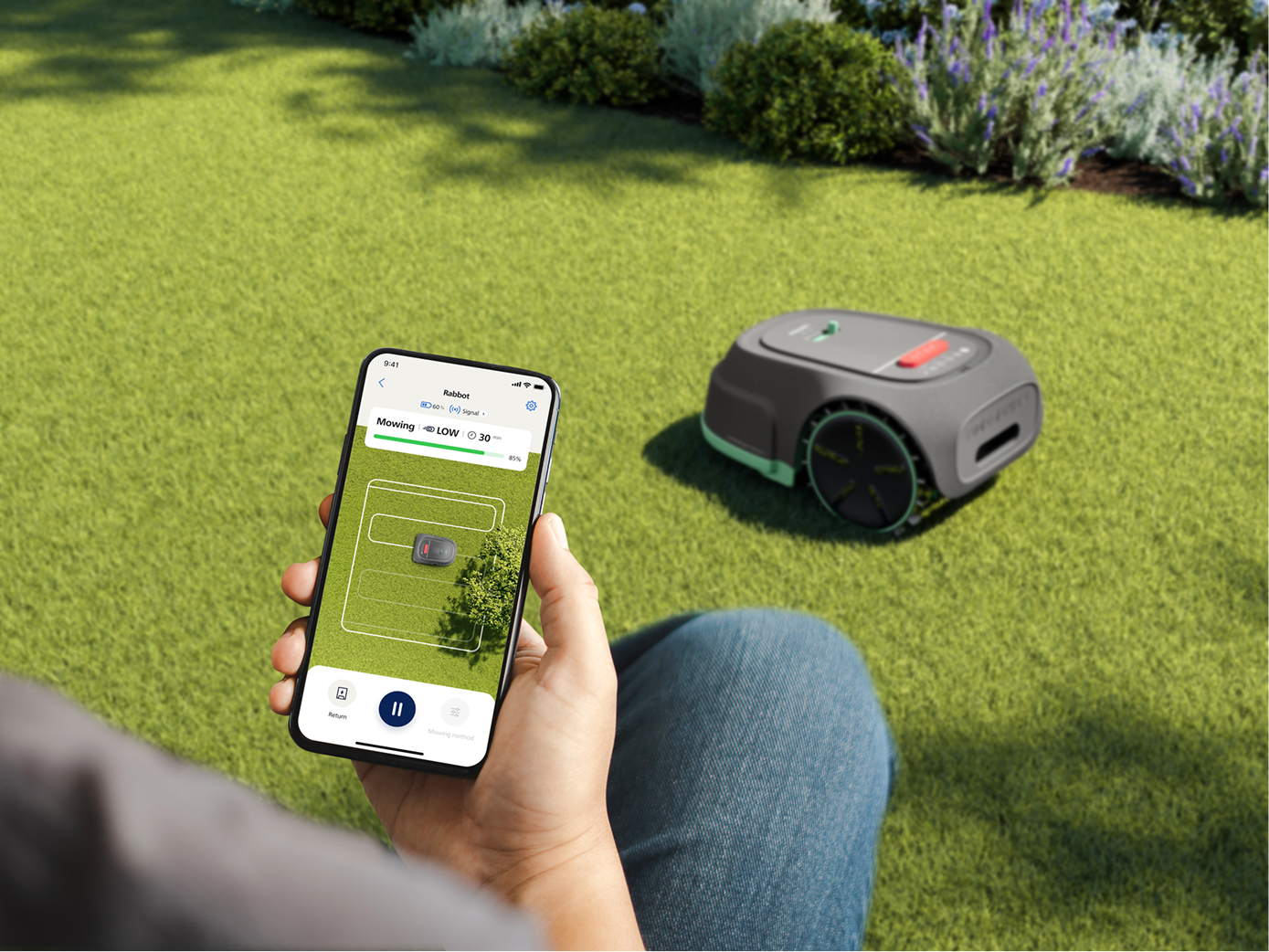
When the robot encounters weather changes or starts a task, the status is displayed in the Dynamic Island.
In case of heavy rain, users receive a notification
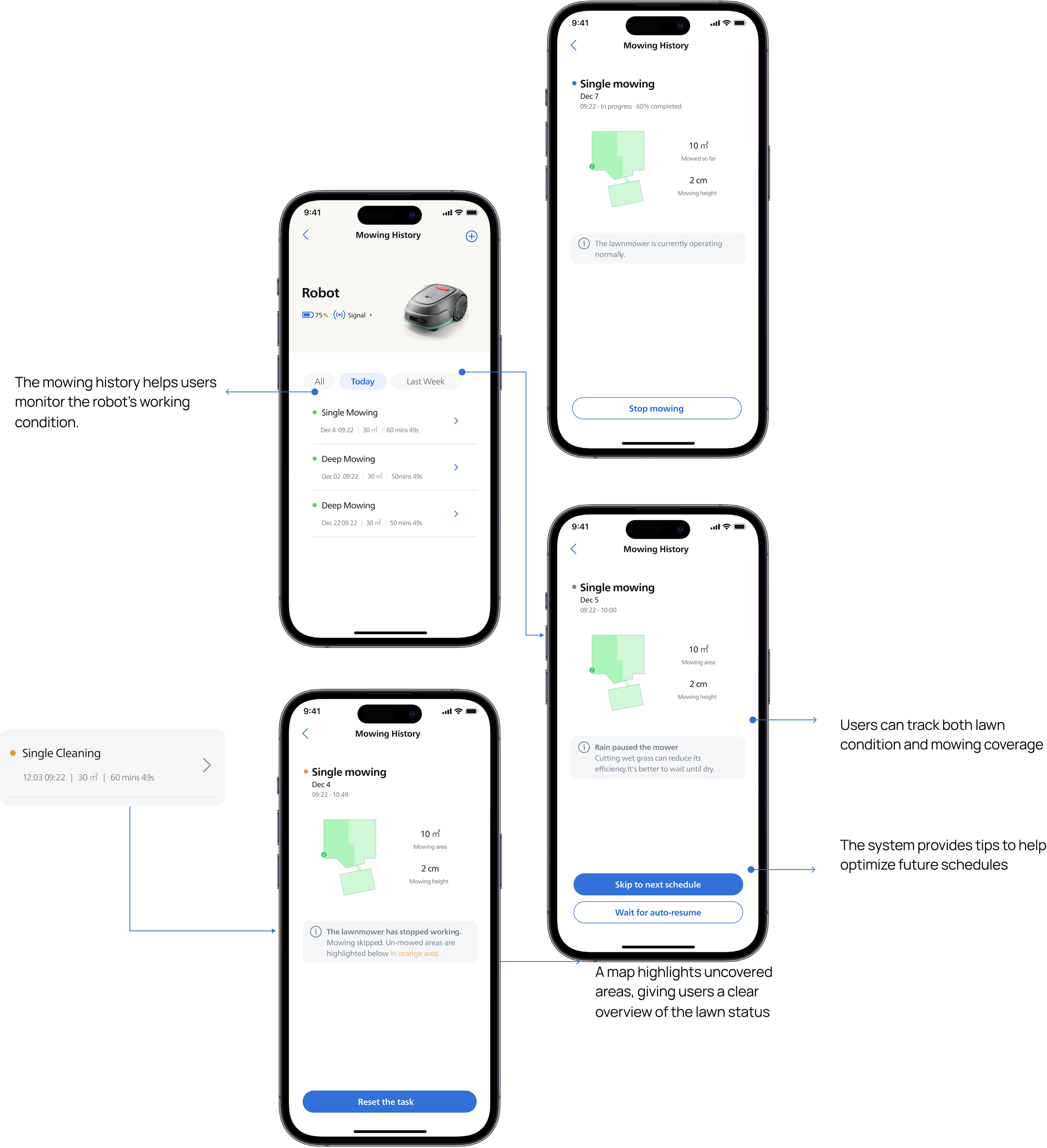
Dynamic Execution Support
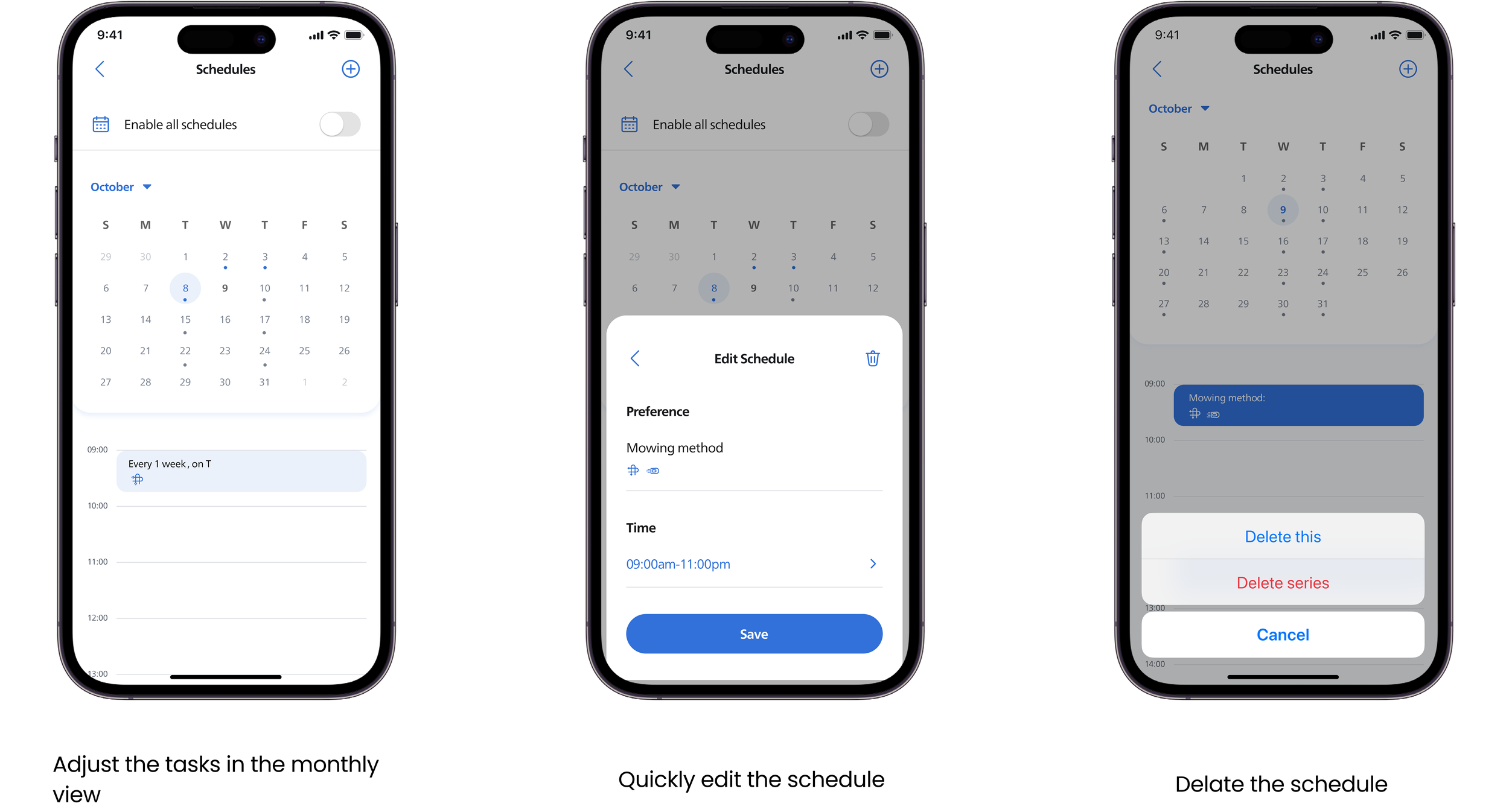
Calendar adjustment
Design Impact
The redesigned scheduling experience resulted in clear improvements across both user experience and efficiency.
30-day retention increased from 42% to 68%
Device onboarding task completion rate improved from 71% to 92%
In usability testing, users demonstrated clearer understanding of schedule status and recurring patterns, made decisions with less hesitation, and required fewer corrective actions, indicating improved cognitive clarity and time efficiency.