
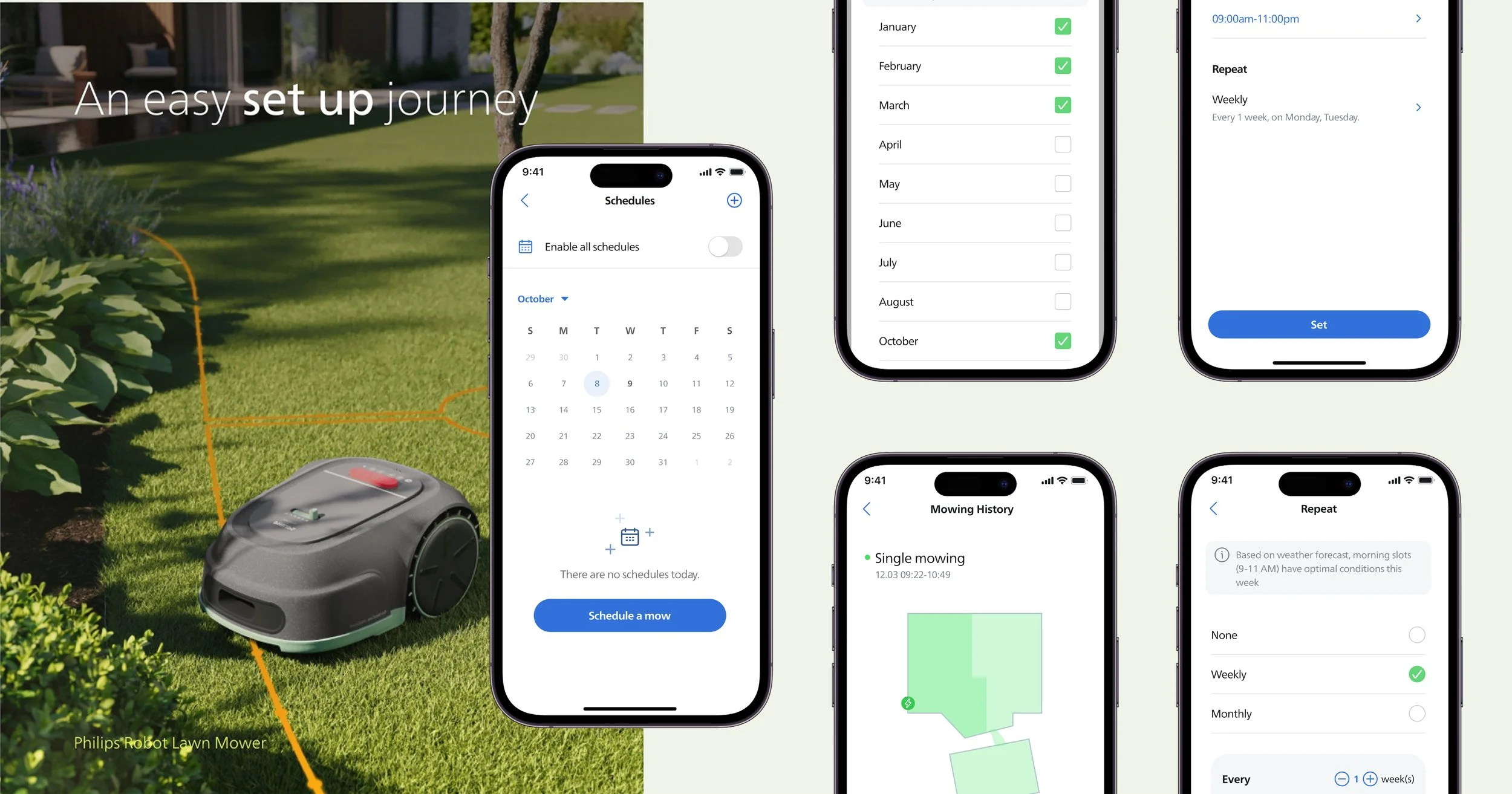
Redesigning the Scheduling Experience
A redesigned scheduling experience focused on reducing setup friction, supporting recurring tasks, and enabling long-term, reliable use.
User research, UX UI Design, User Testing
Period
June 2025 – July 2025
Role
Product Designer
Contribution
Project management, UX/UI design, User Testing, Design Iteration
Design Opportunities
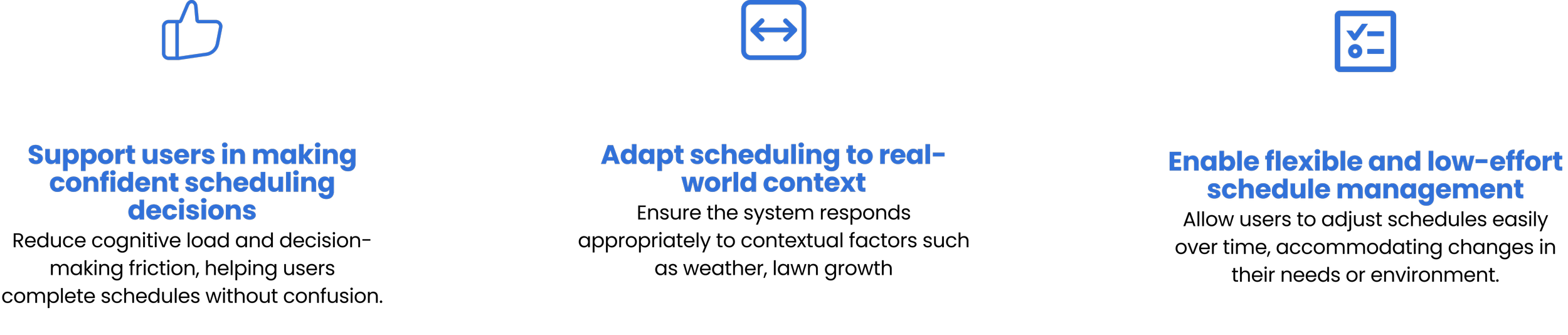
Concept Development
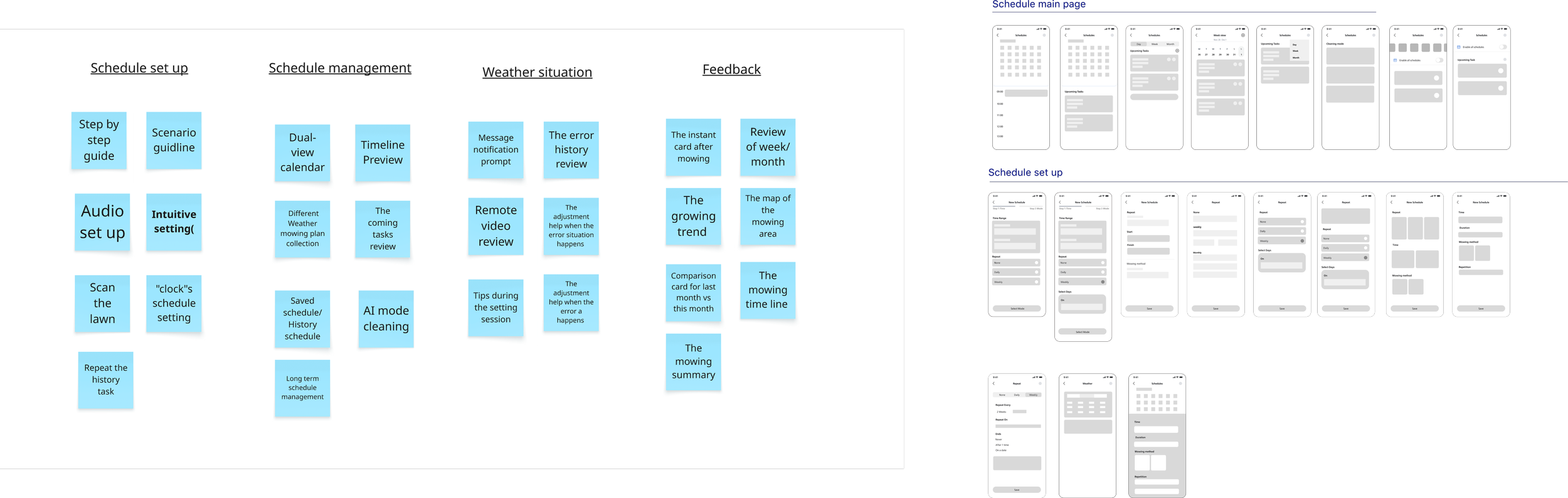
Brainstorming
Background
The scheduling feature is one of the most frequently used functions in the lawn mower app,
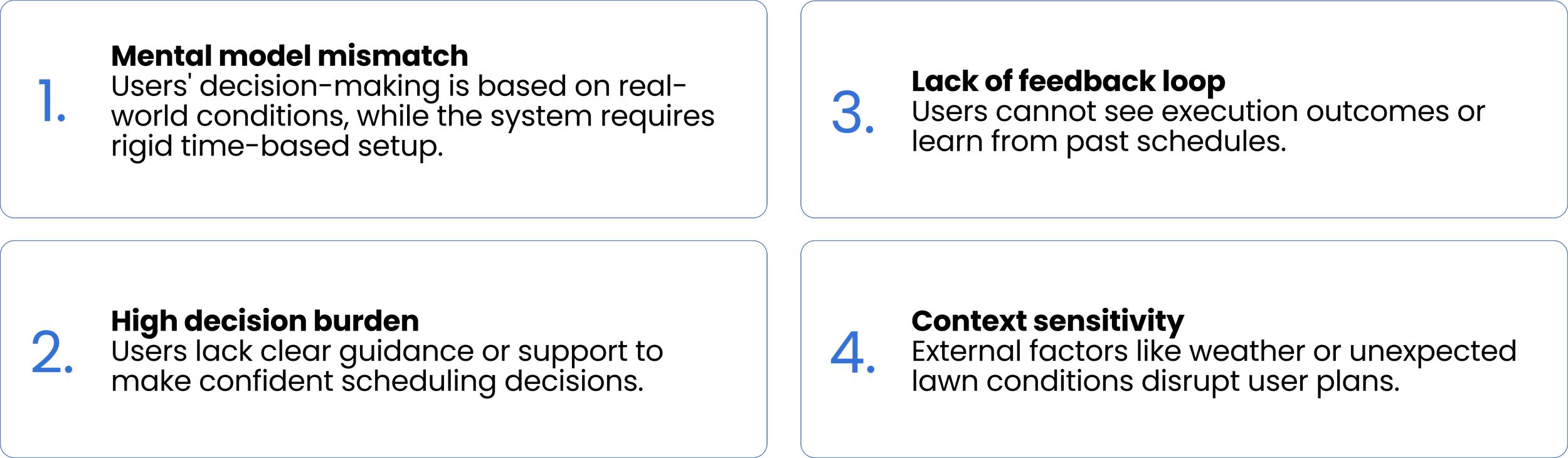
Yet User research and data revealed several key issues:
High usage frequency but low satisfaction
Frequent complaints about unclear and confusing setup
Further analysis showed that the core problem is not just usability, but a mismatch between user decision-making needs and the system’s rigid time-based logic.
Research
Research Questions:
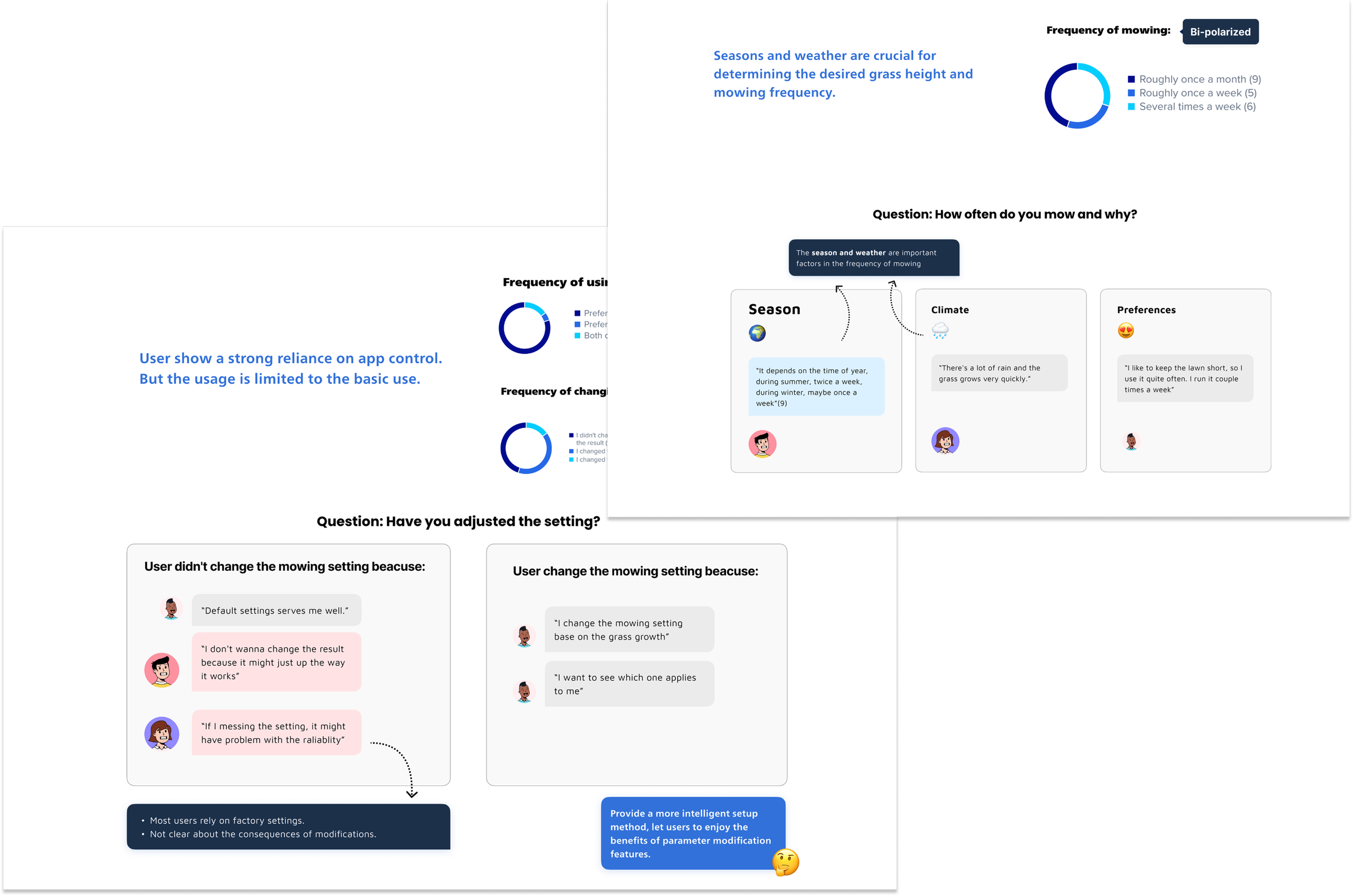
How to To understand the root causes, we conducted semi-structured interviews with 20 users.
The research focused on how users make scheduling decisions, how they interpret the system, and where they struggle during the process. the current schedule booking process?
How do users decide when and how often to mow their lawn?
How do users interpret and understand the current scheduling system?
Where do users struggle or hesitate during the scheduling process, and why?
What kind of support or feedback do users expect from the system?
What real-life factors influence their scheduling decisions?
Interview
20 participants were interviewed questions based on the experience how they make the schedule and to find out the difficulties and exceptions.
Recruitment User: Meet our market target user ( Age 30-59, own smart lawn mowers, and have more than 3 months of experience in mowing lawns using apps.
Number of recruits: 20 user from different regions
User Insights
20 participants were interviewed questions based on the experience how they make the schedule and to find out the difficulties and exceptions
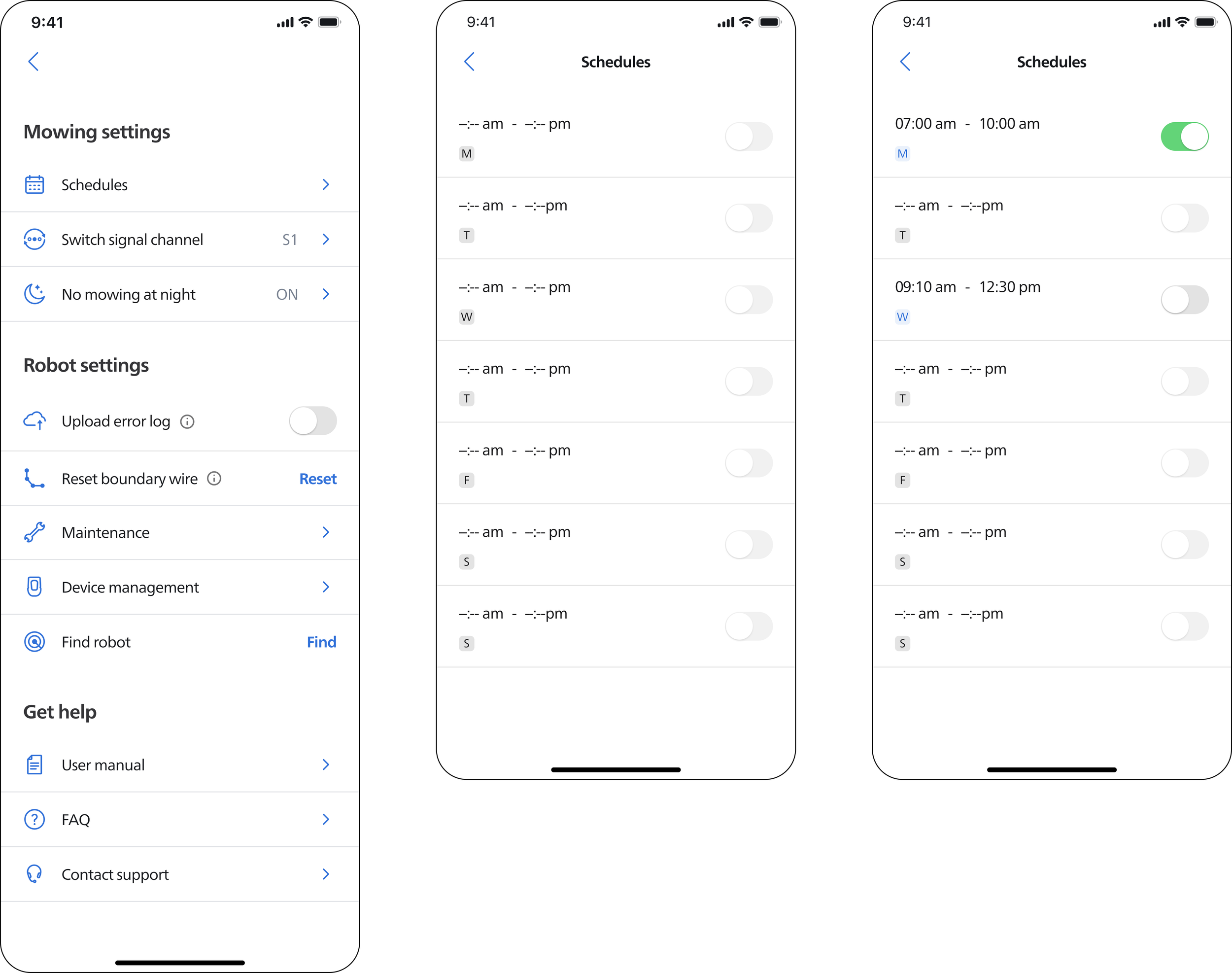
After identifying key design opportunities, I moved into the design phase by exploring the scheduling system through a modular approach. Based on the insights, I ideated multiple scheduling modules to address different aspects of the user experience.
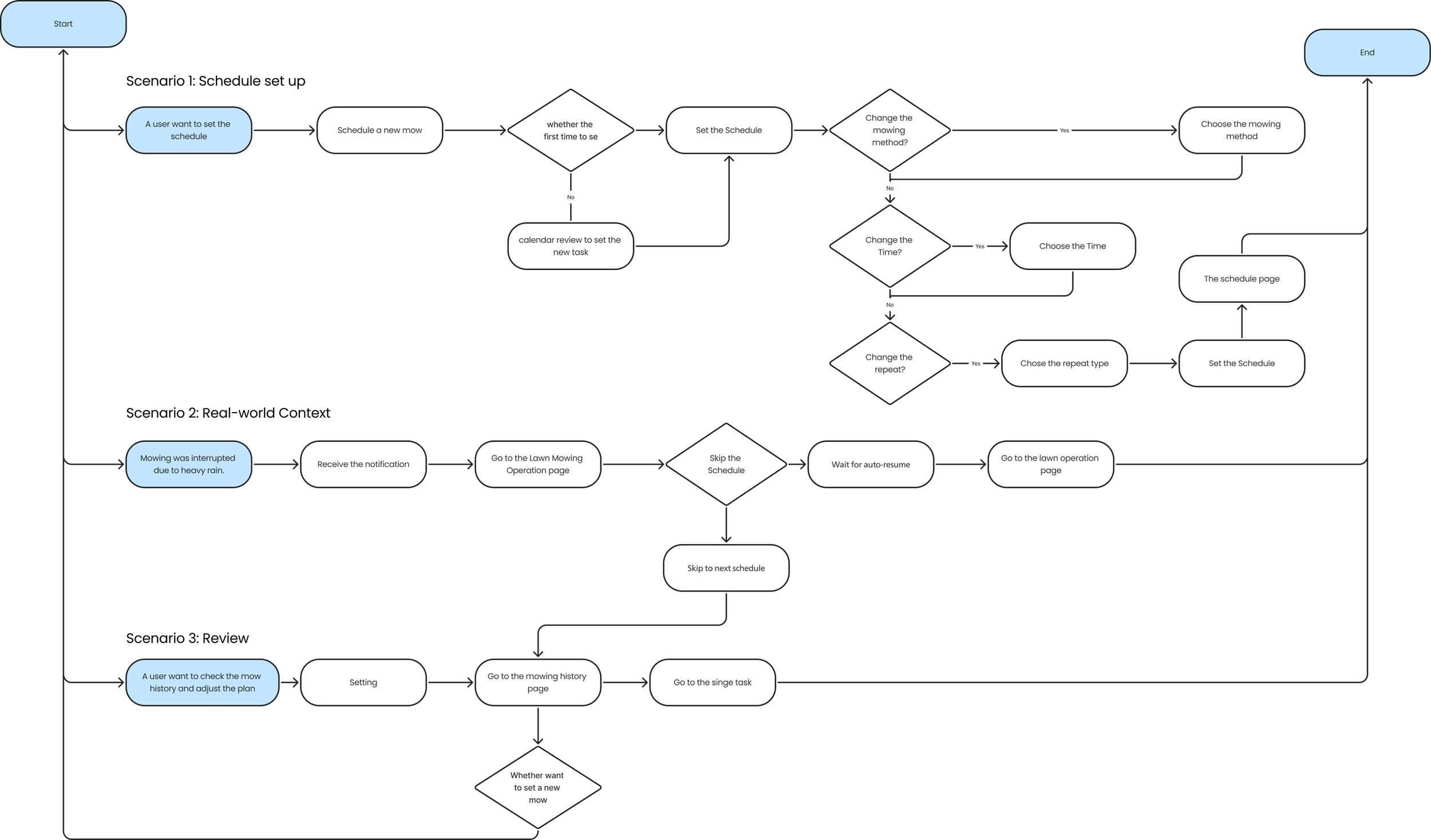
User Flow Chart
Scheduling Setup
Design Impact
Schedule main page
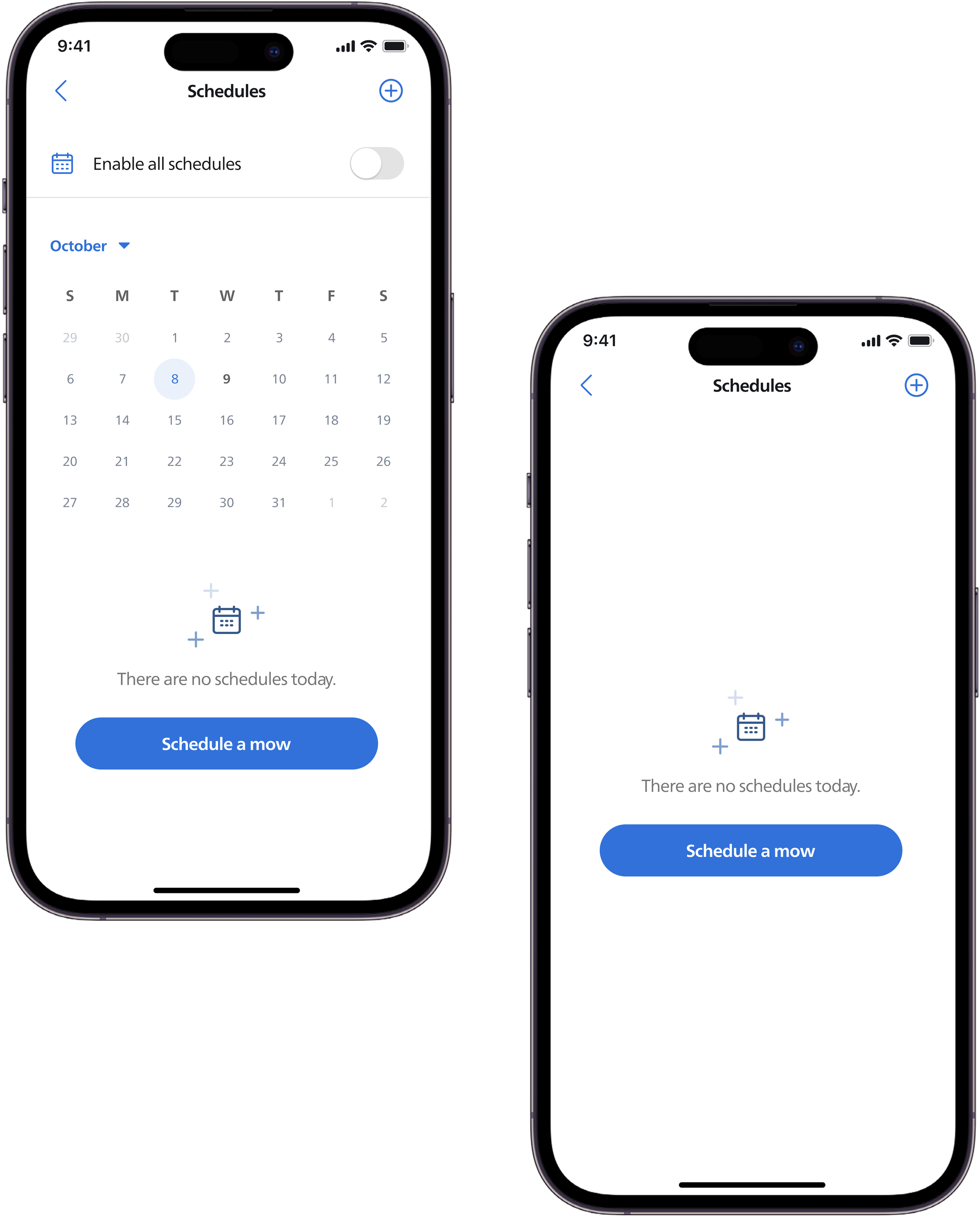
The new version adds a calendar view. Existing users can review past tasks, while new users are guided to this page as an entry point.
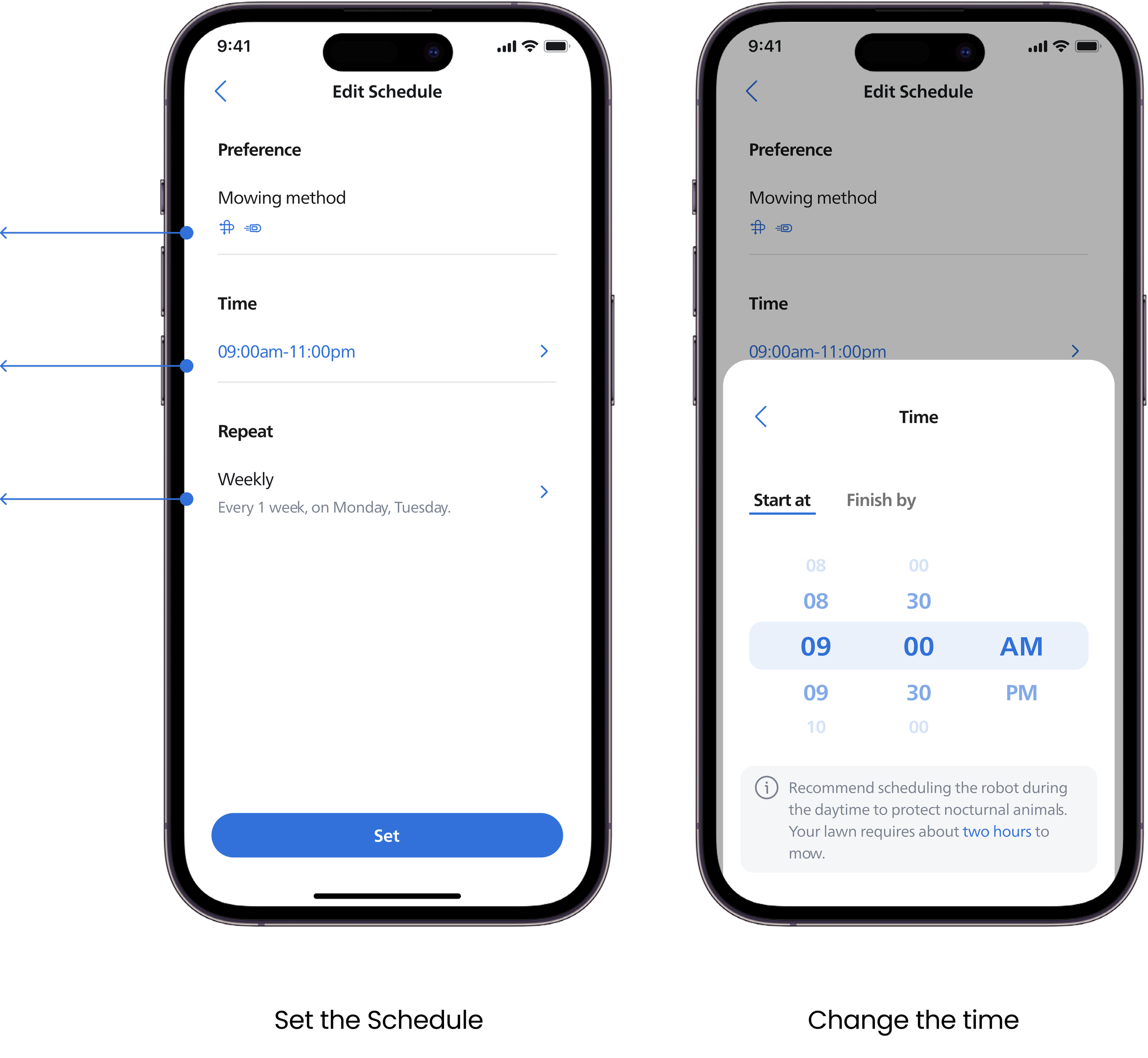
The edit page is presented with default settings, allowing users to make quick adjustments based on them.
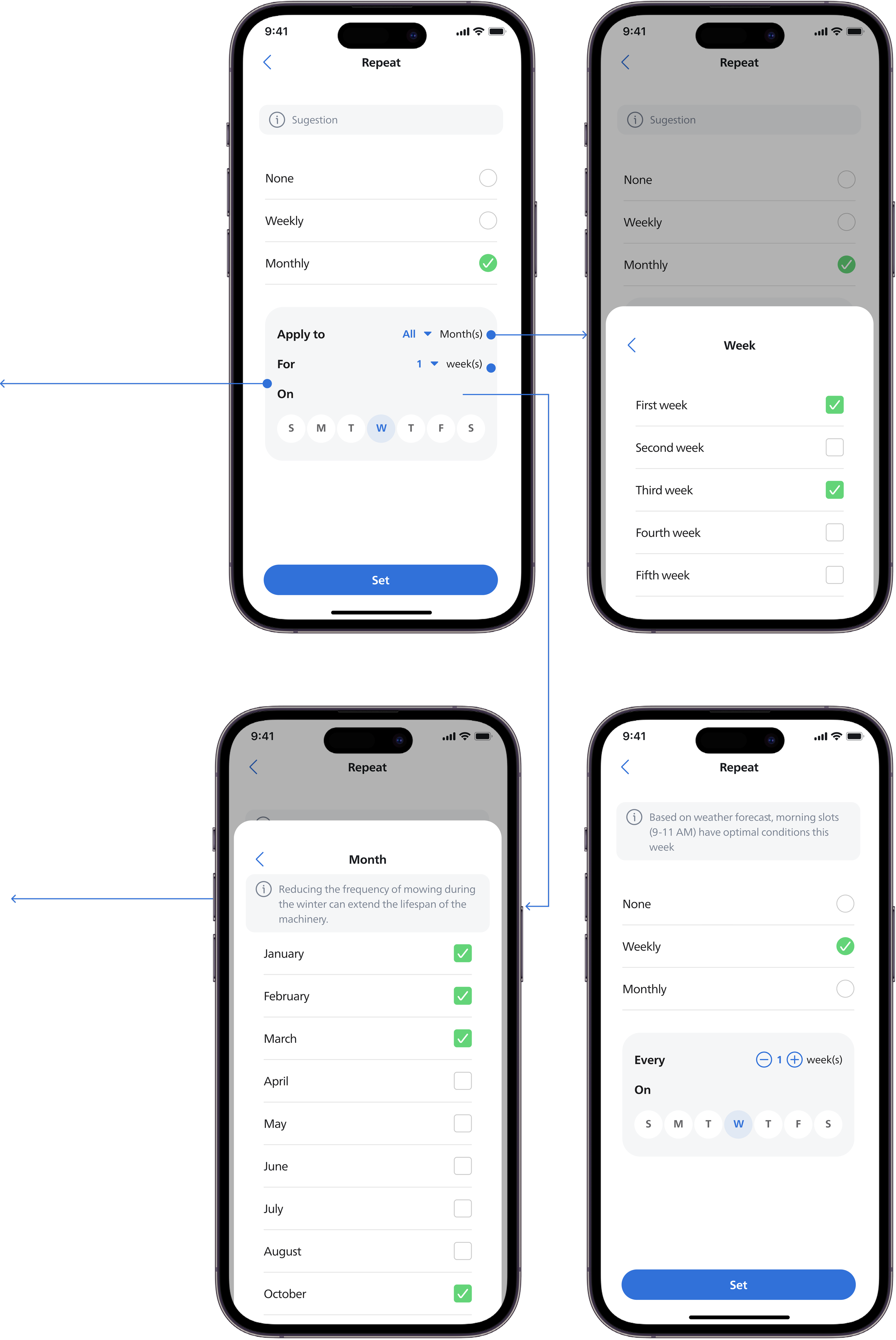
Choose the Repetition
By Month: When users want to create a long-term plan, they can make precise adjustments by filtering by month, week, and day.
The system also provides suggestions on the optimal mowing duration based on the current lawn condition.
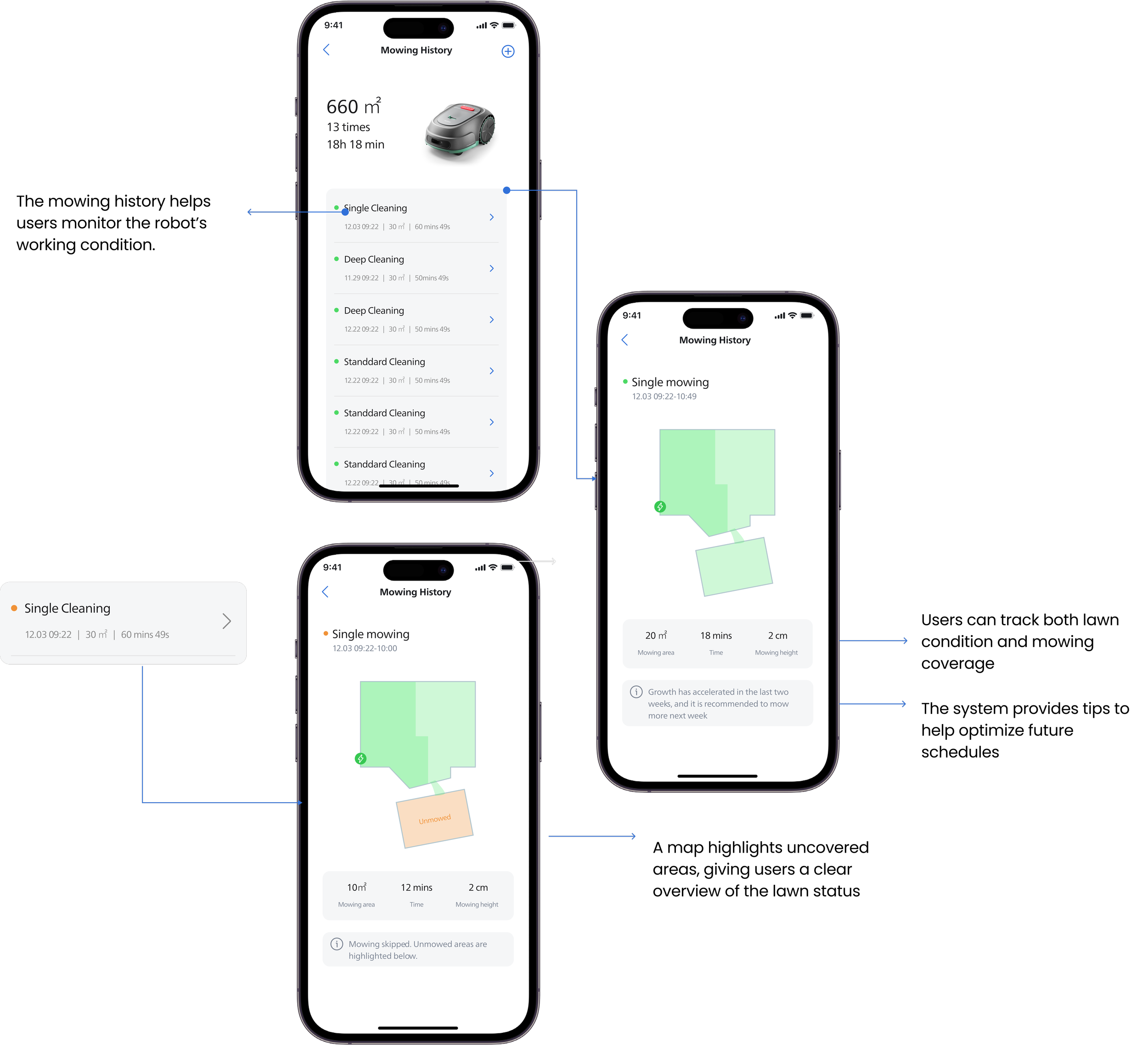
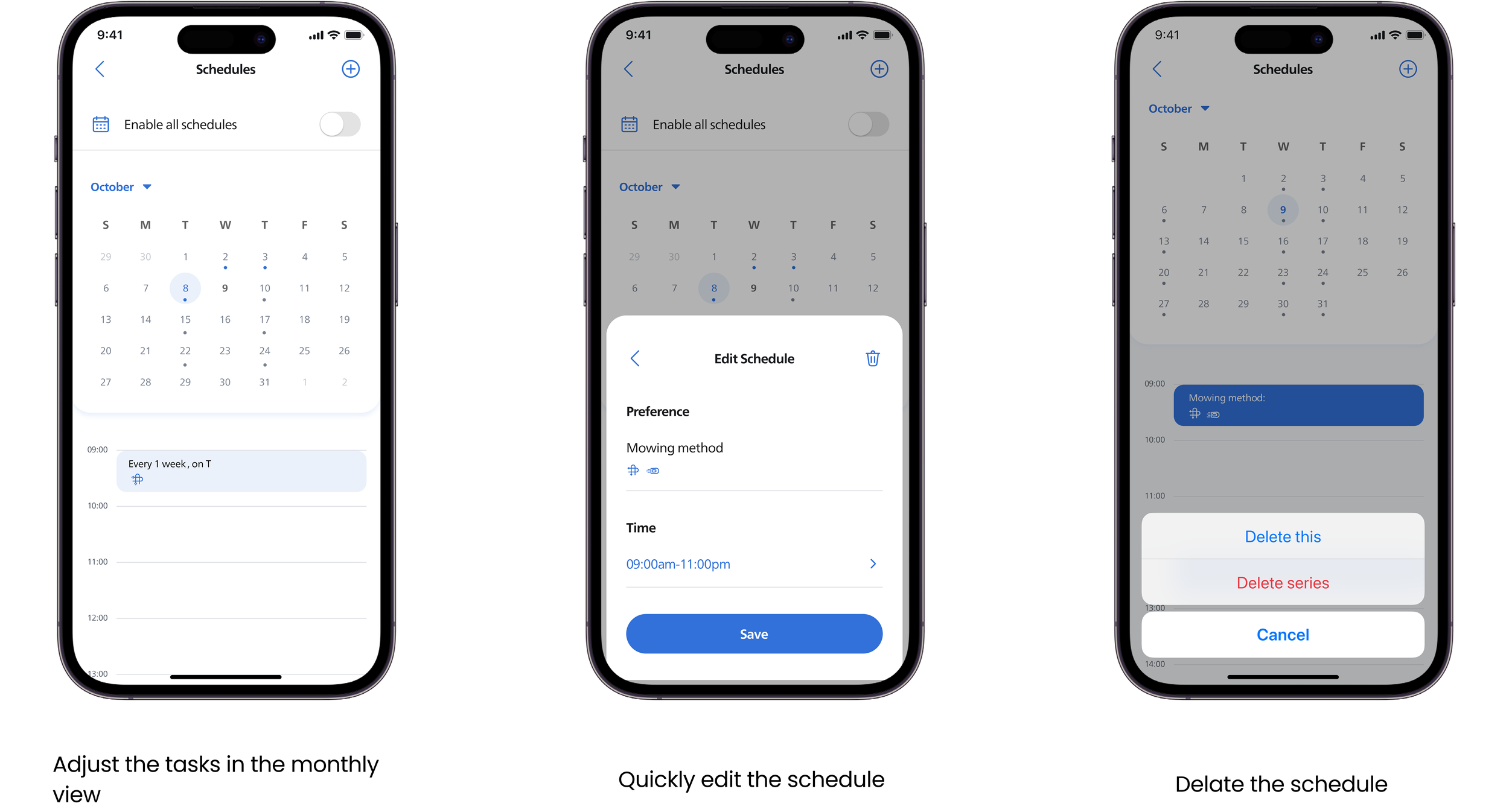
The final design mainly focuses on three scenarios: schedule setup, real-world context, and history review. Compared with the previous version, it achieves a closed-loop experience from schedule decision-making, to real-time adjustments, and finally to reflection and optimization.
Provides mowing options to better adapt to different usage needs
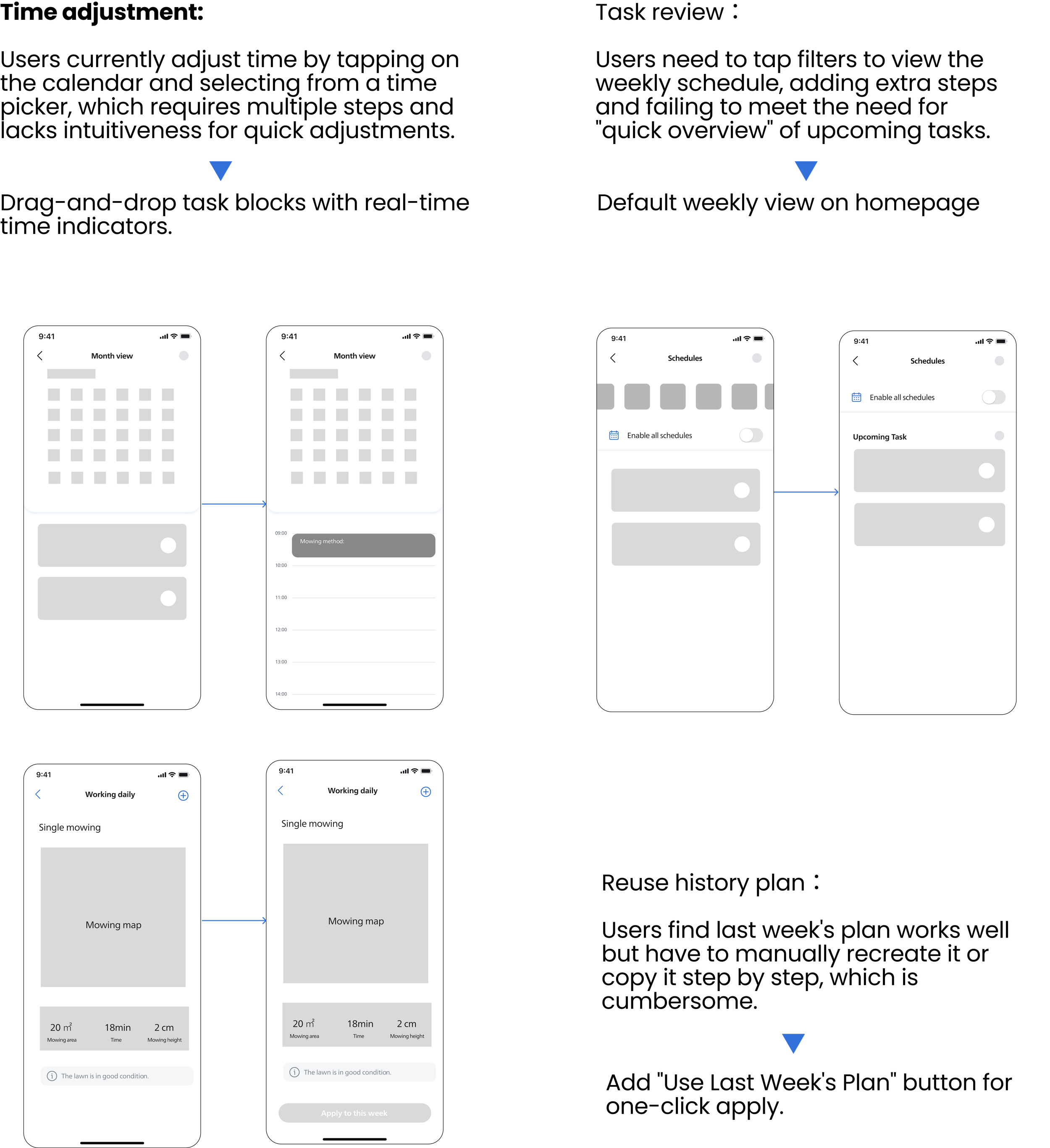
Time settings are redesigned to be more intuitive and easy to adjust
Offers more flexible scheduling options, allowing users to set appointments more freely
The redesigned scheduling experience resulted in clear improvements across both user experience and efficiency.
30-day retention increased from 42% to 68%
Device onboarding task completion rate improved from 71% to 92%
In usability testing, users demonstrated clearer understanding of schedule status and recurring patterns, made decisions with less hesitation, and required fewer corrective actions, indicating improved cognitive clarity and time efficiency.
Usability Testing
After defining user flow and key features of schedule system, I sketched wireframes and build a low-fidelity prototype. To validate the user experience and identify usability issues, I conducted the usability testing
Goal
Flow Clarity:Assess if users can navigate the scheduling setup process without confusion or assistance.
Decision Support:Determine if the provided information (weather, recommendations, status) helps users confidently make scheduling decisions.
Visual Hierarchy:Verify if the interface clearly differentiates between primary actions, secondary information, and system status.
Final Design
Key Features
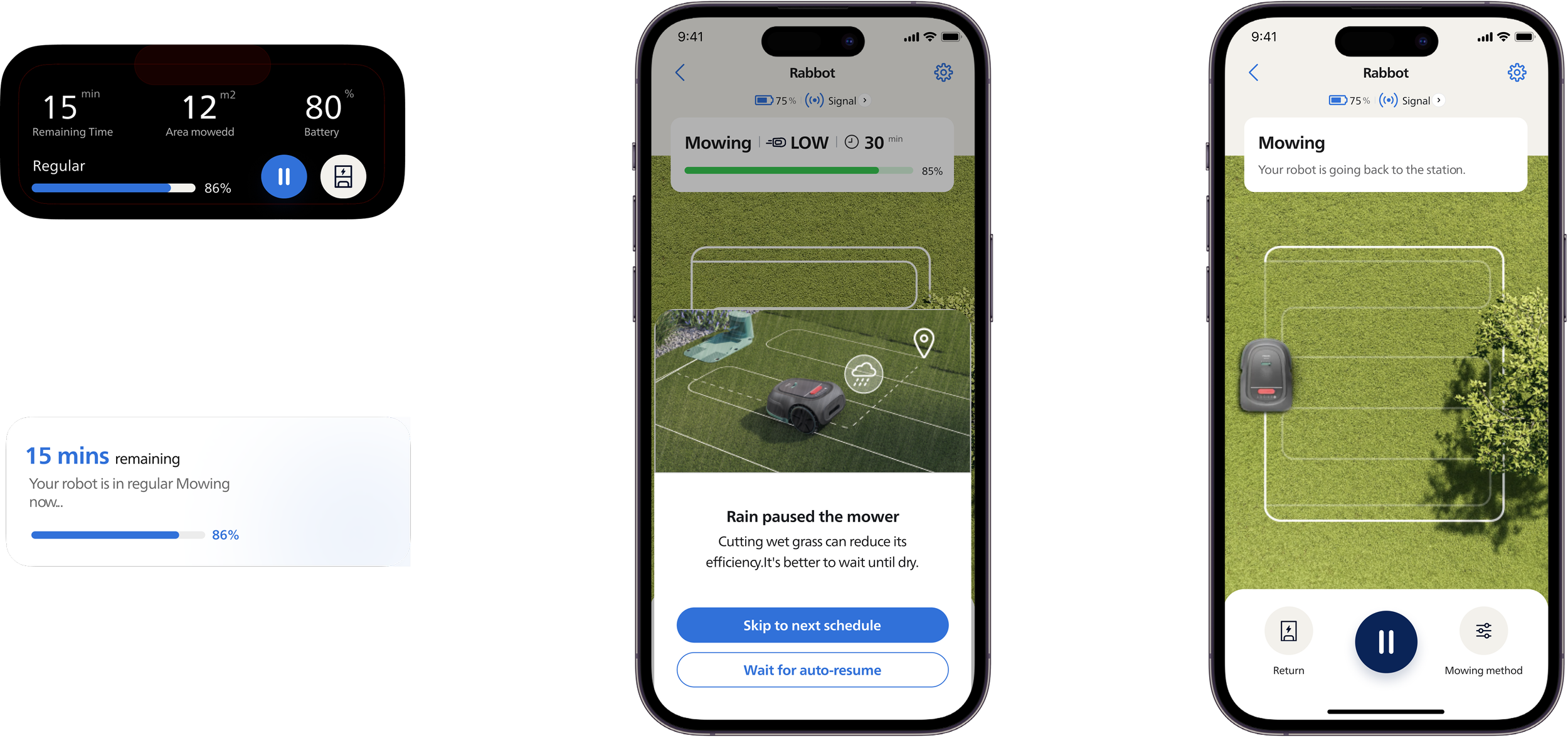
Dynamic Execution Support
If users choose to skip to the next schedule, they can check the mowing history to review completed areas
Mowing Summary
When the robot encounters weather changes or starts a task, the status is displayed in the Dynamic Island.
Calendar adjustment
In case of heavy rain, users receive a notification