Redesigning the Scheduling Experience
A redesigned scheduling experience focused on reducing setup friction, supporting recurring tasks, and enabling long-term, reliable use.
User research, UX UI Design, User Testing
Period
June 2025 – July 2025
Role
UX Designer
Contribution
Project management, UX/UI design, User Testing, Design Iteration
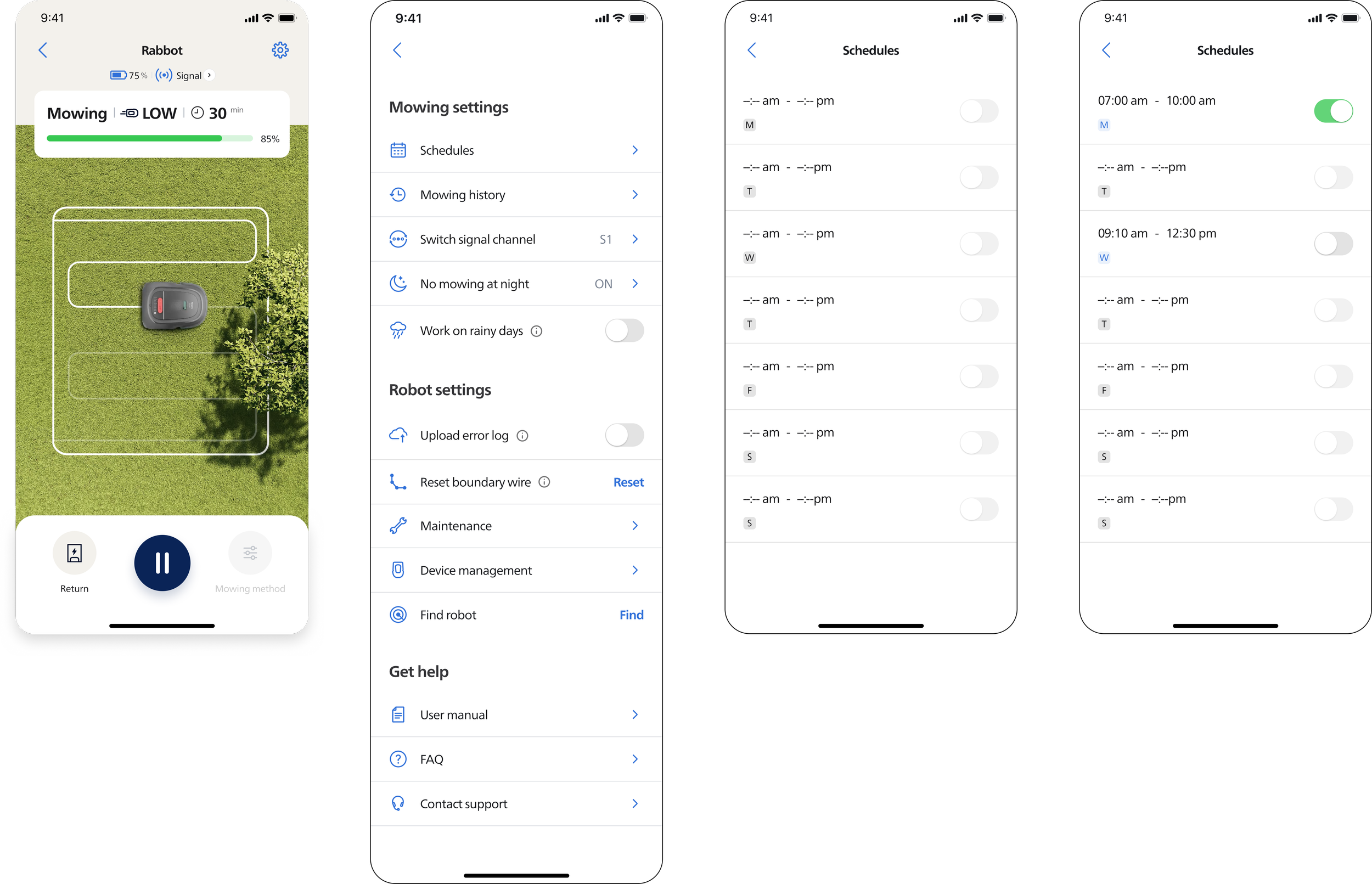



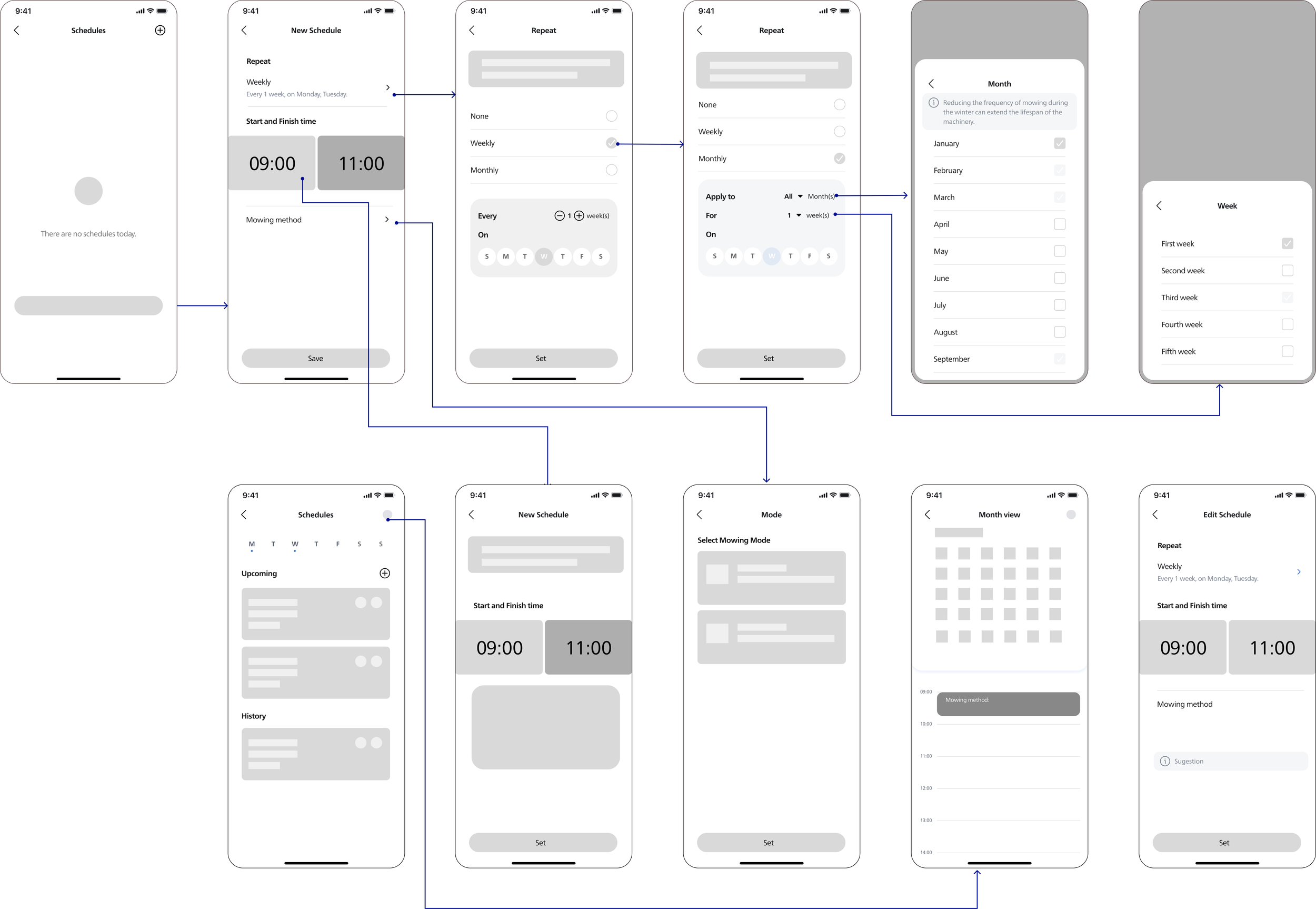
Wireframe
Background
The scheduling feature is one of the most frequently used functions in the lawn mower app, yet user satisfaction remains low, with a high volume of complaints related to its usability. At the same time, data revealed a significant drop-off during the scheduling setup process, with many users failing to complete their configurations. These issues not only limited the feature’s effectiveness but also reduced its overall value within the product. This redesign therefore focused on reducing friction and improving clarity across the scheduling experience, enabling users to confidently create, understand, and adjust their schedules.
Research
Research Questions:
How to improve the current schedule booking process?
What factors or steps in the current booking flow lead to frustration, confusion, or task abandonment?
What real-world scenarios or constraints influence how users create, adjust, or complete schedules?
What kinds of support would help users successfully complete a schedule without dropping off?
Interview
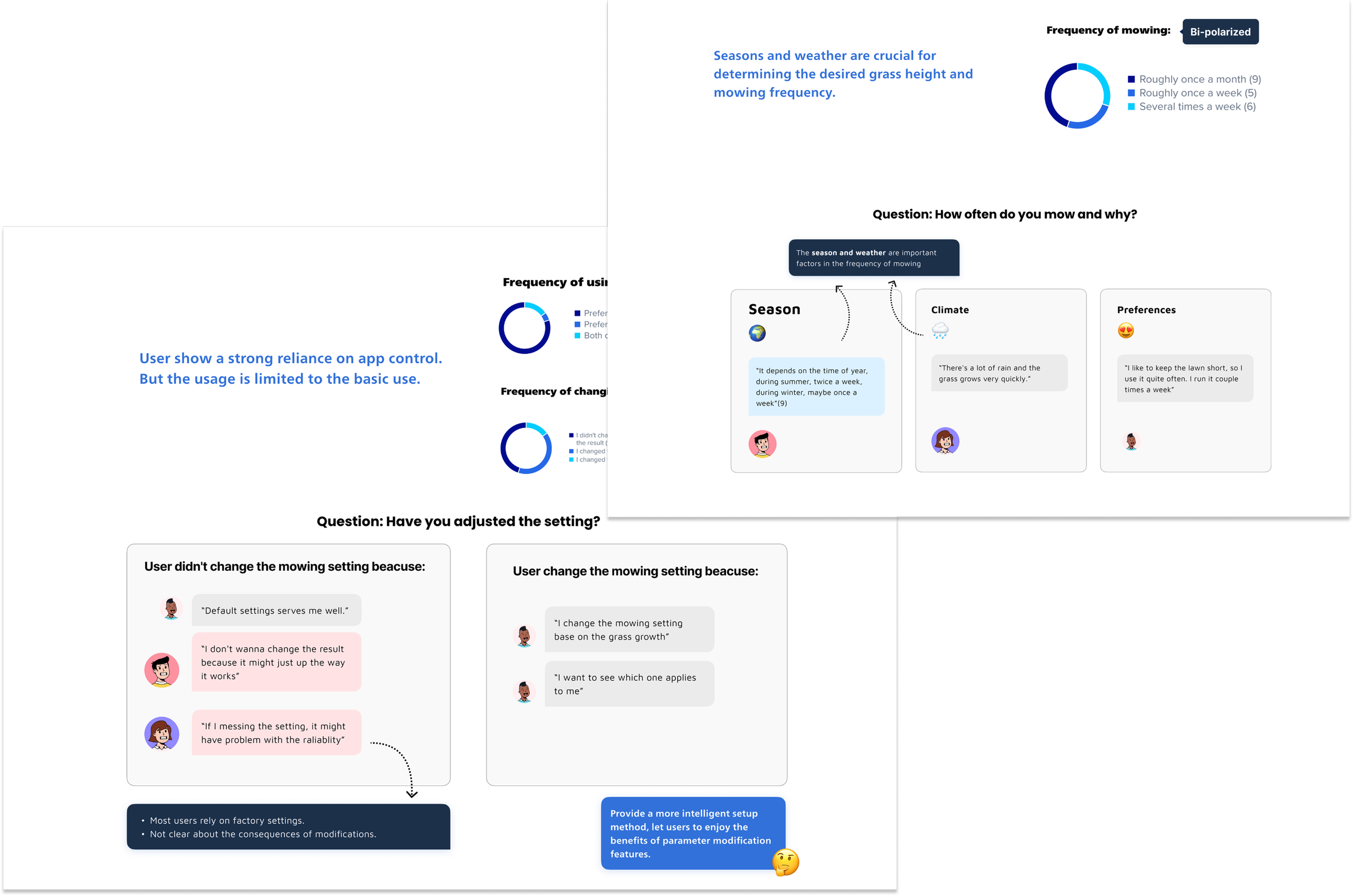
20 participants were interviewed questions based on the experience how they make the schedule and to find out the difficulties and exceptions.
Recruitment User: Meet our market target user ( Age 30-59, own smart lawn mowers, and have more than 3 months of experience in mowing lawns using apps.
Number of recruits: 20 user from different regions
Persona
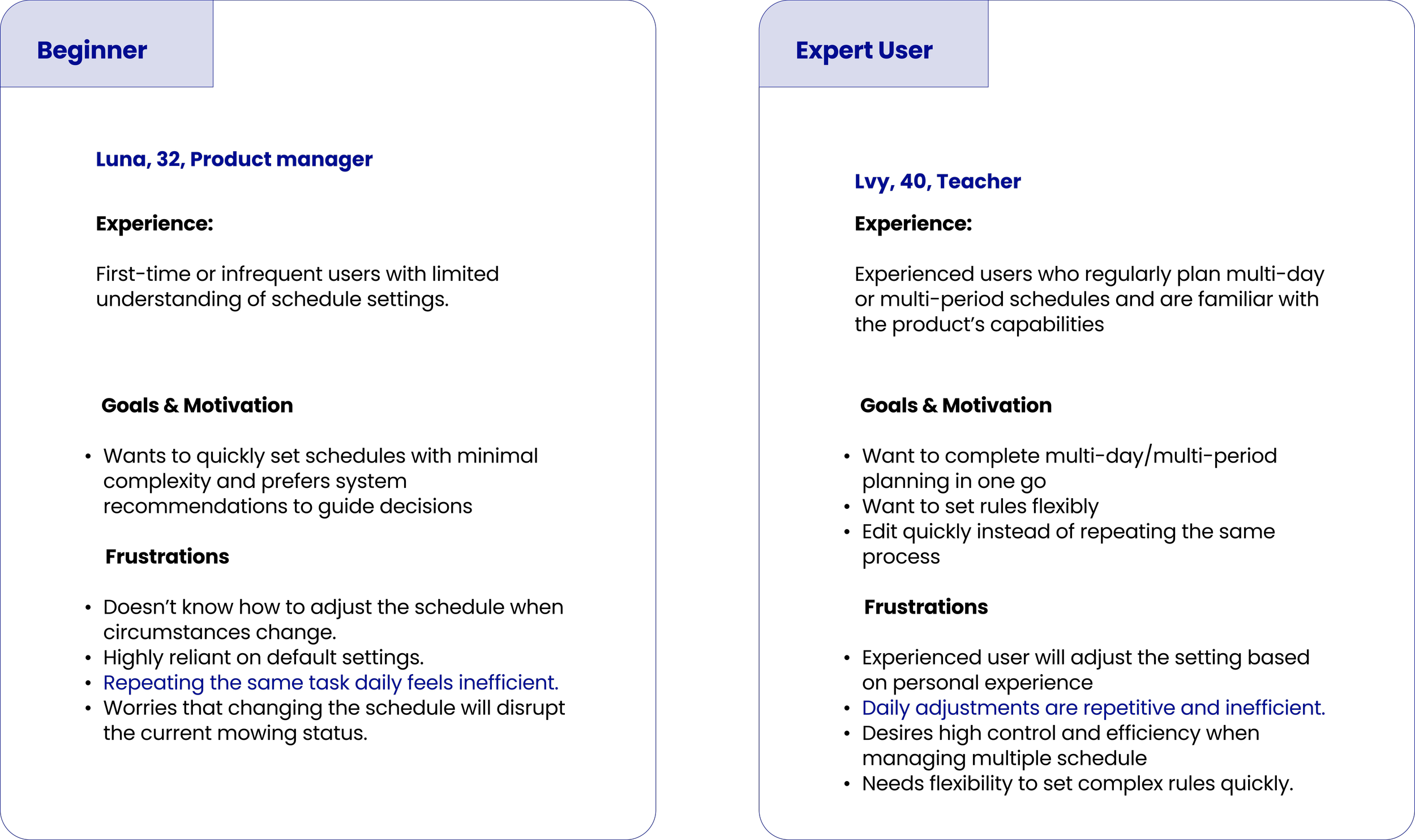
After summary the data from the interview, there are two personas were defined as the target user group
User Insights
20 participants were interviewed questions based on the experience how they make the schedule and to find out the difficulties and exceptions
Define
Design Goal
To design a supportive and informative experience that enables user to effortlessly to make or adjust schedule setting.
Design Phase
To ensure both immediate usability improvements and long-term product value, the redesign was structured in two phases.
Ideation
Brainstorming
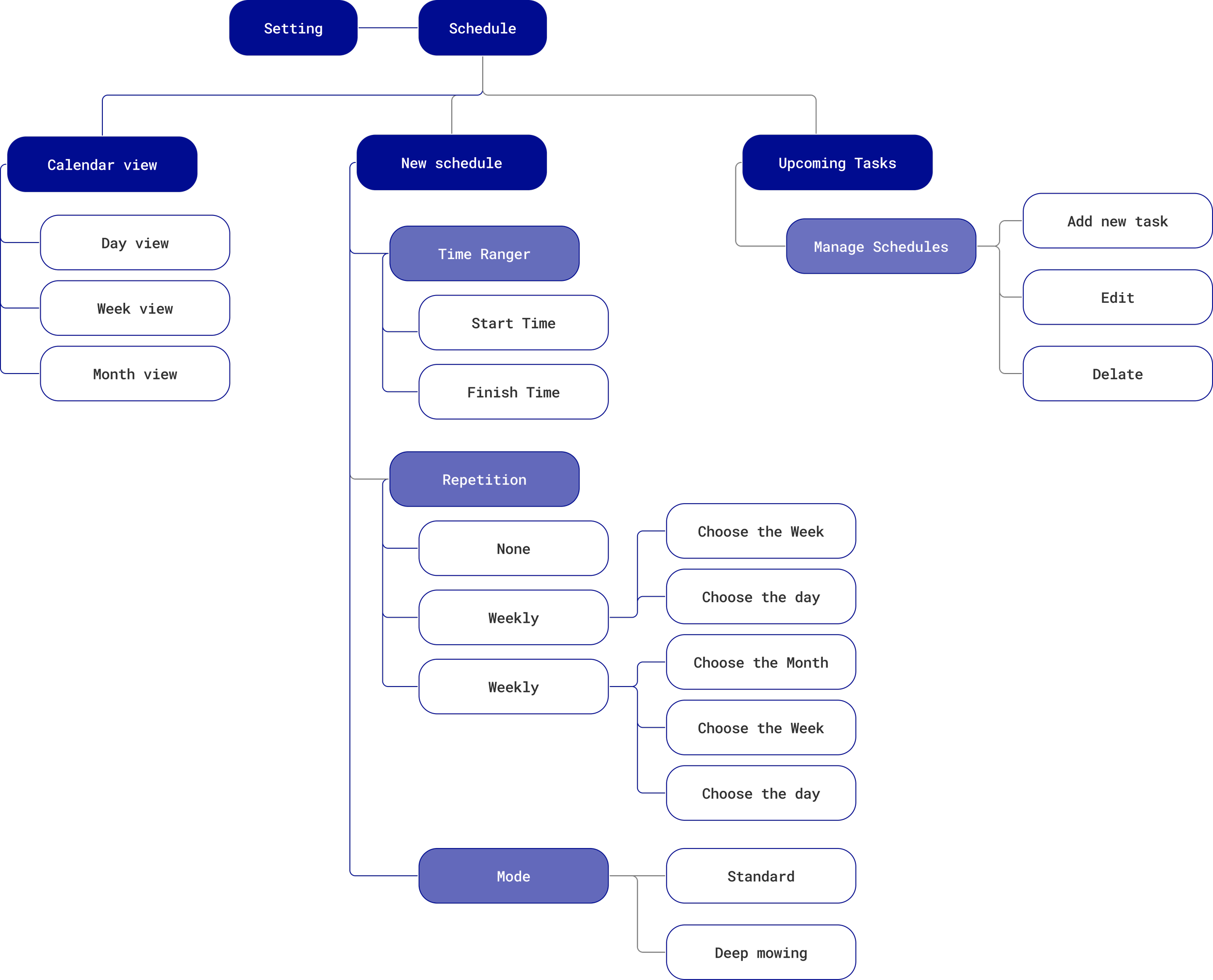
Information architecture
Design
Hi-fi Screens
Monthly Review
Design Impact
Next phase
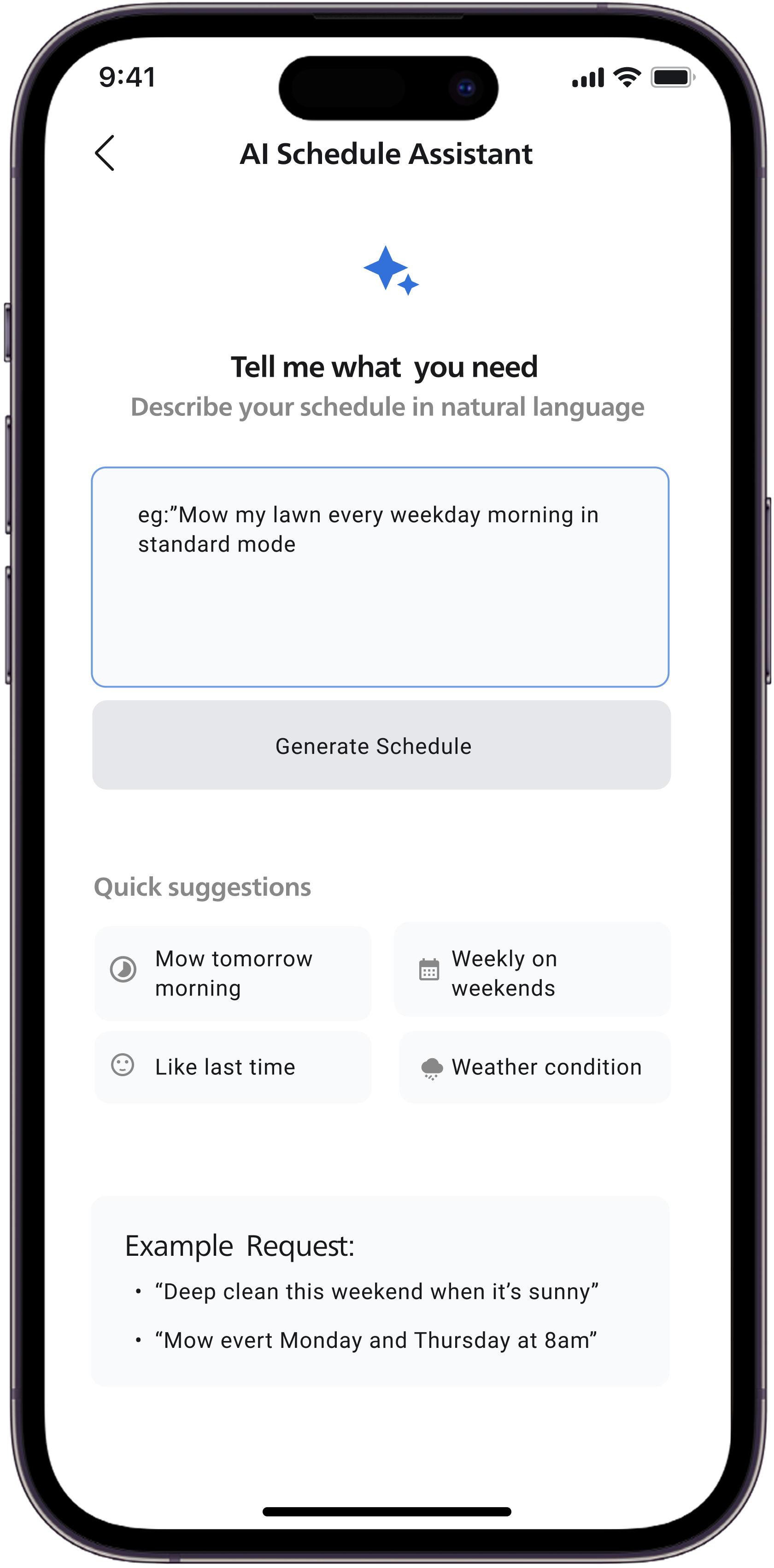
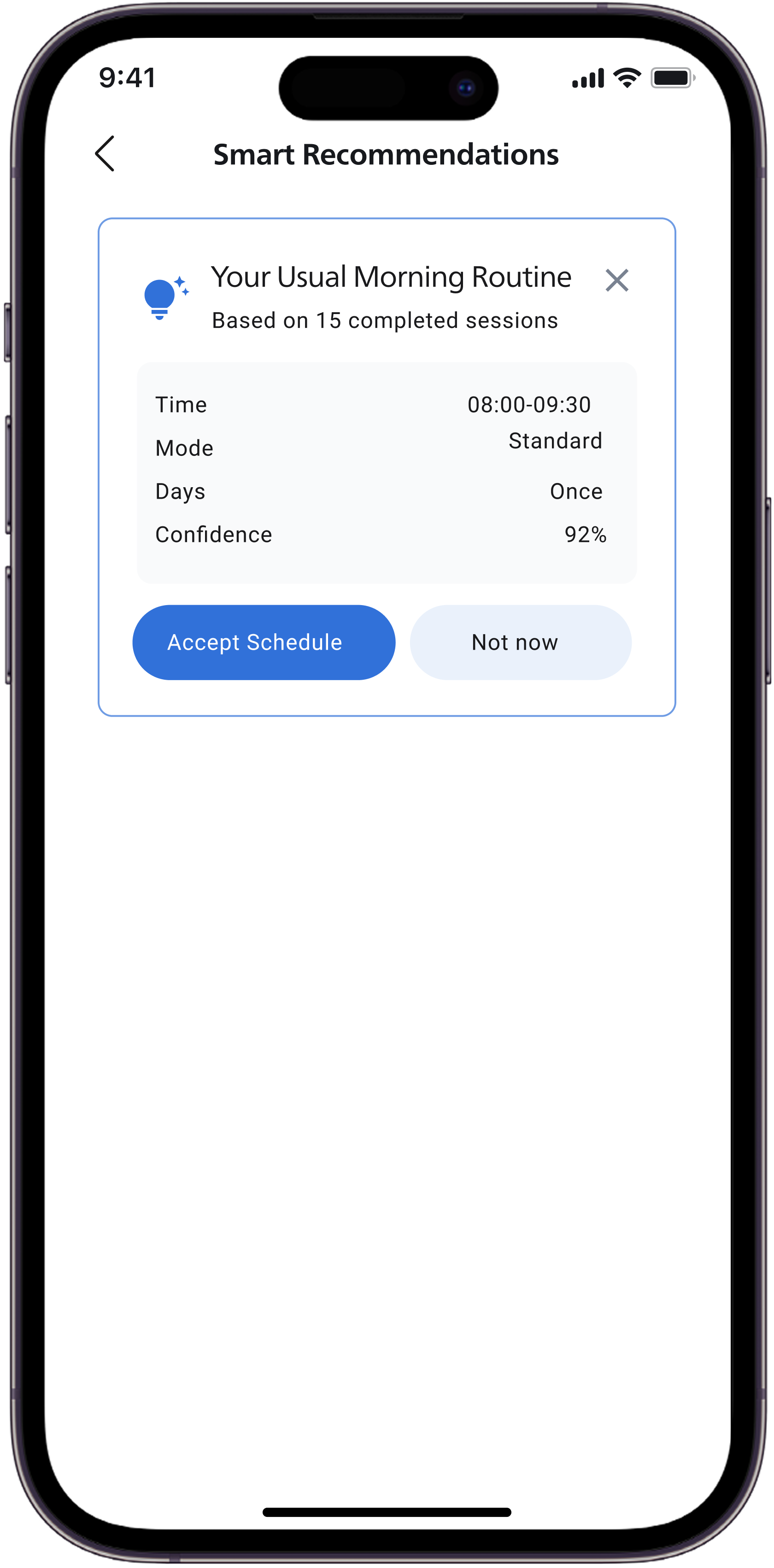
With lightweight reminders already integrated into the current design, the next phase focuses on introducing AI as a decision-support layer, rather than an automated scheduler.
An AI Schedule Assistant would allow users to ask contextual questions related to their mower, current schedule, and lawn conditions, helping them better understand timing and frequency choices. This conversational interaction reduces uncertainty while keeping users in control of final decisions.
In parallel, a smart recommendation feature could suggest suitable scheduling tasks based on past usage patterns and schedule success rates. These recommendations remain optional and transparent, supporting faster planning without enforcing behavior.
Together, these enhancements build on the existing UX foundation to further reduce effort, increase confidence, and gradually move toward a more intelligent yet trustworthy scheduling experience.
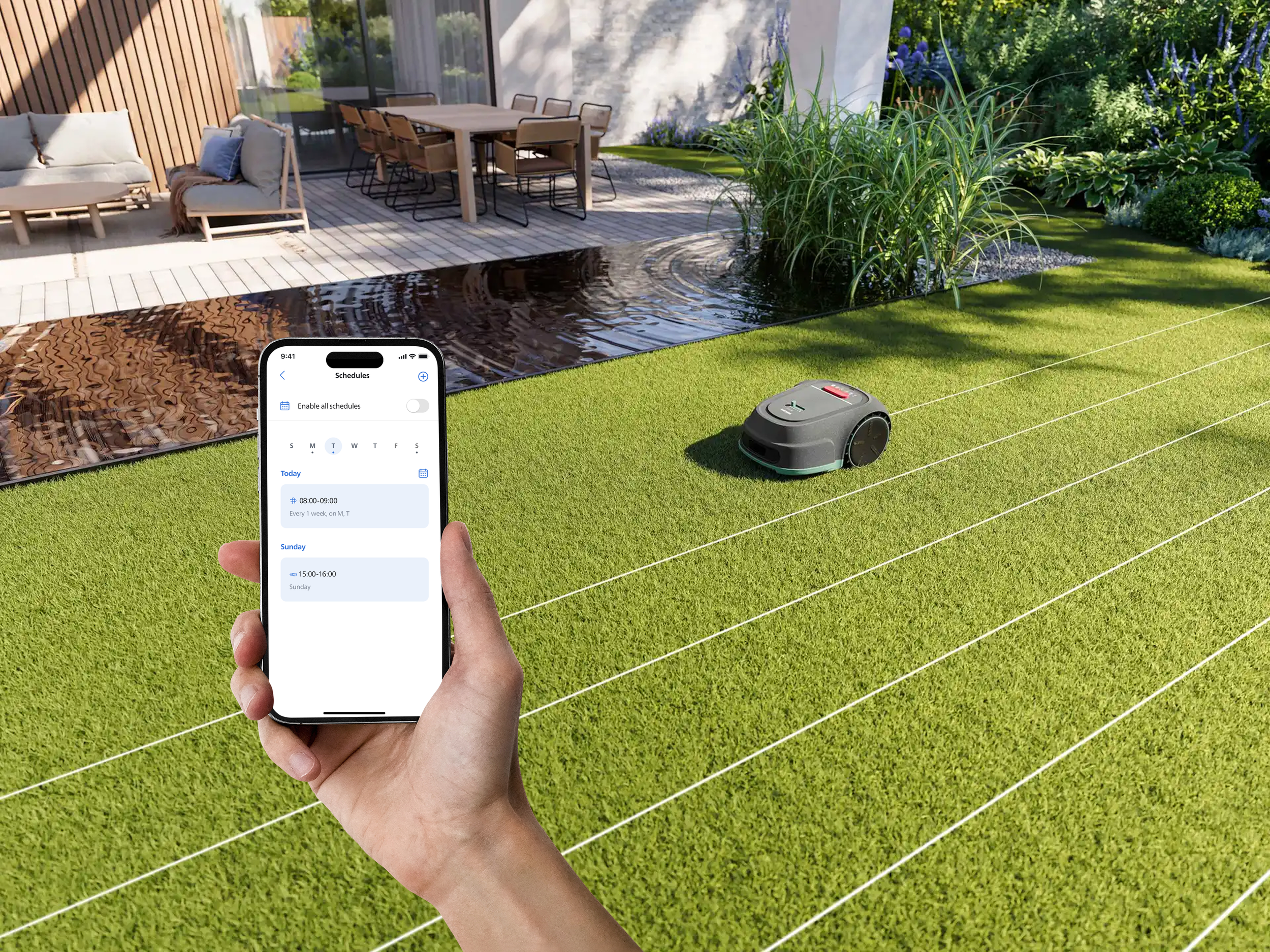
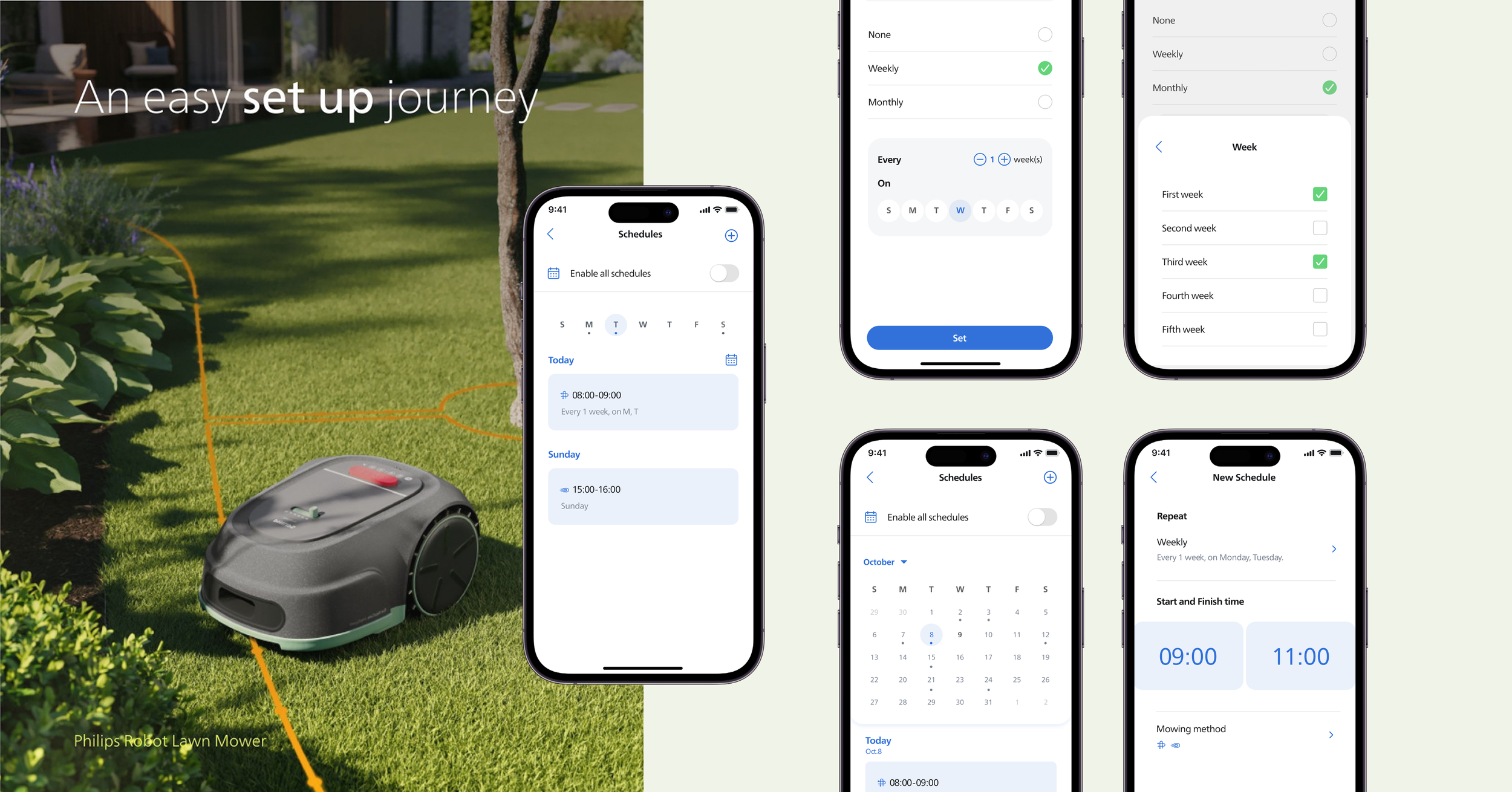
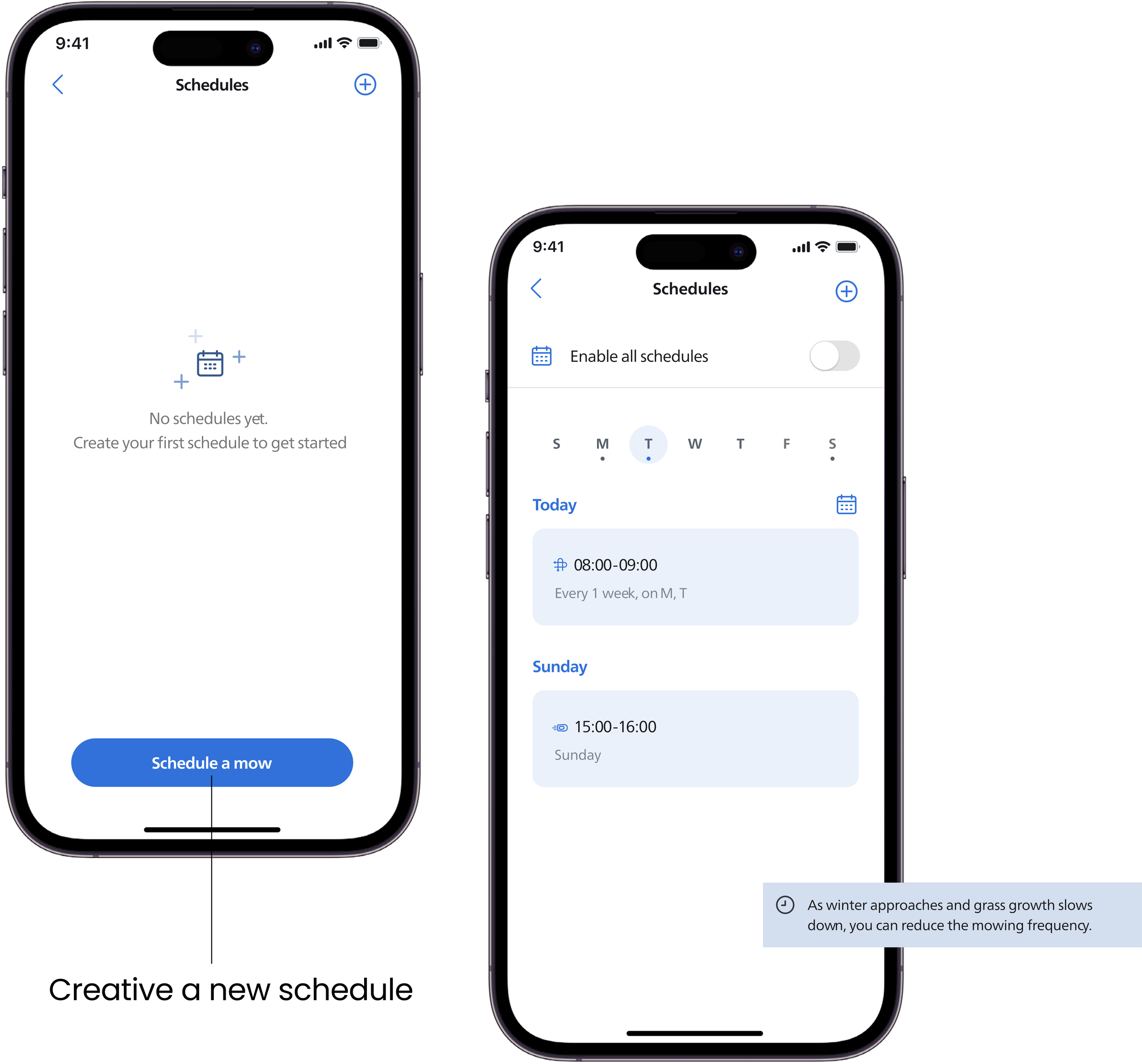
Schedule main page
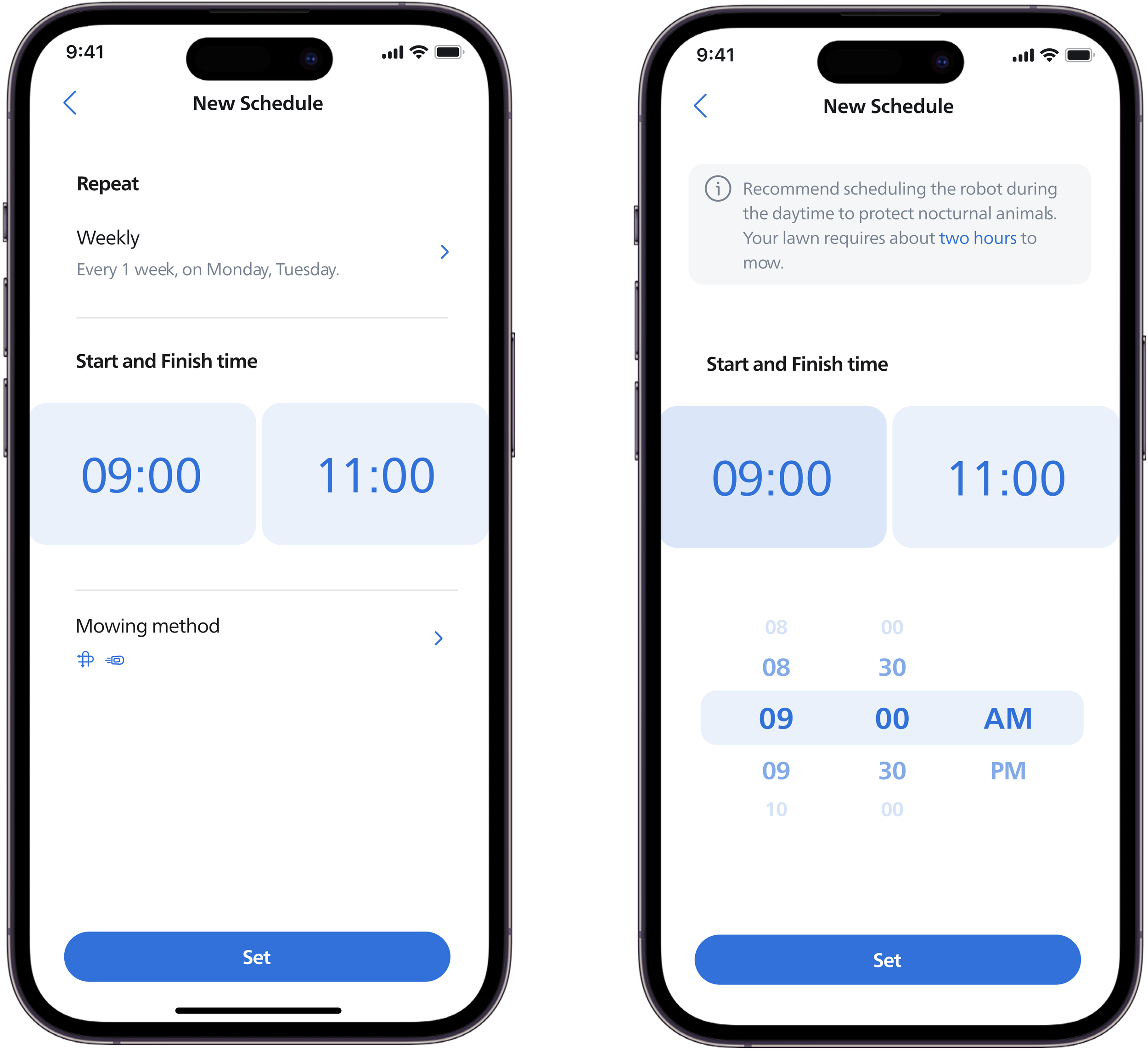
The new scheduling flow is organized into three clear steps. When setting a time, users can directly select the start and end time. Contextual tips are provided to help users choose an appropriate duration.
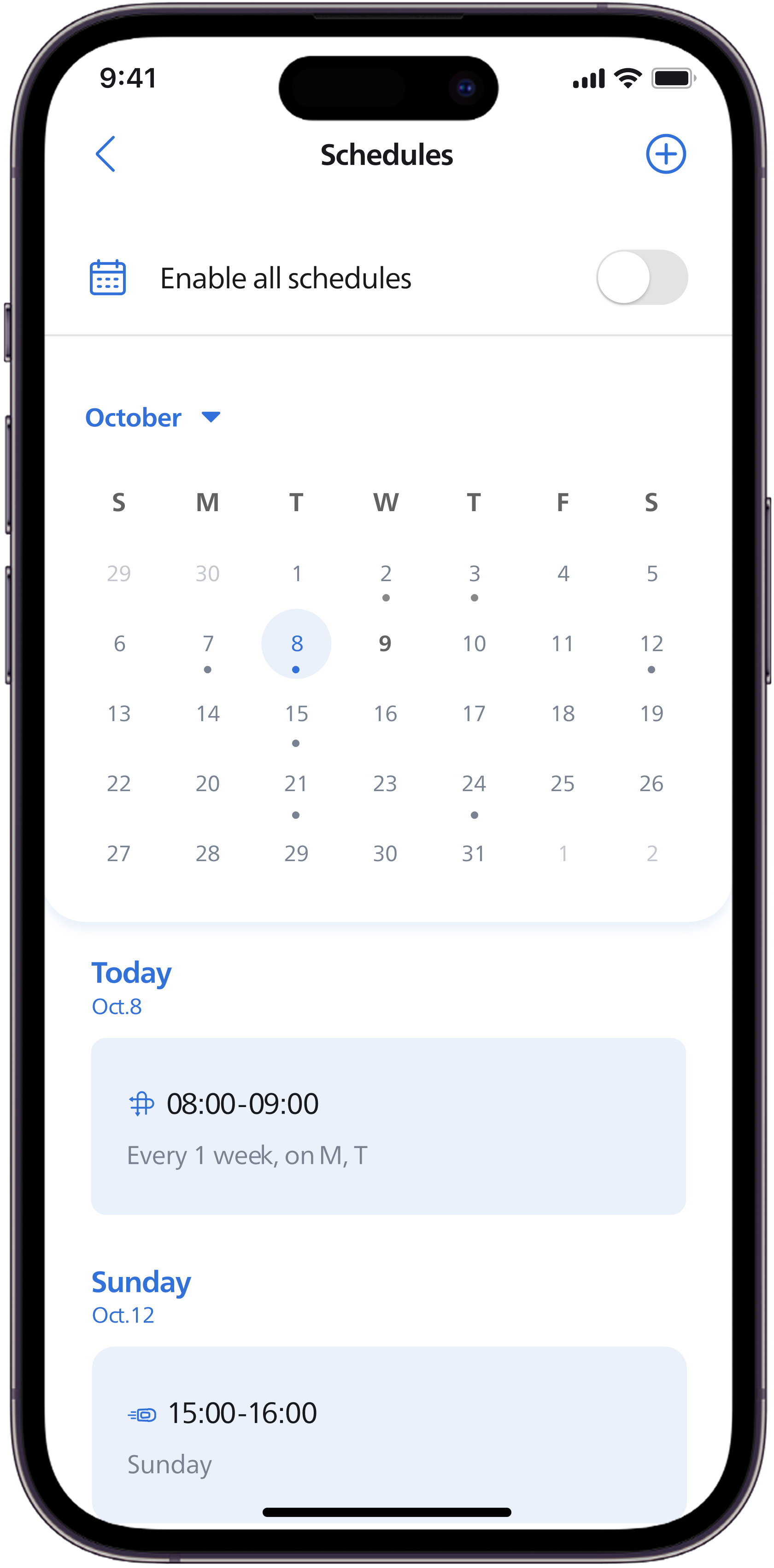
The schedule also provides a monthly view that visualizes planned tasks across the month. This overview helps users better understand long-term patterns and plan their mowing activities more effectively.
Choose the Time
The new scheduling flow is organized into three clear steps. When setting a time, users can directly select the start and end time. Contextual tips are provided to help users choose an appropriate duration.
Choose the Repetition
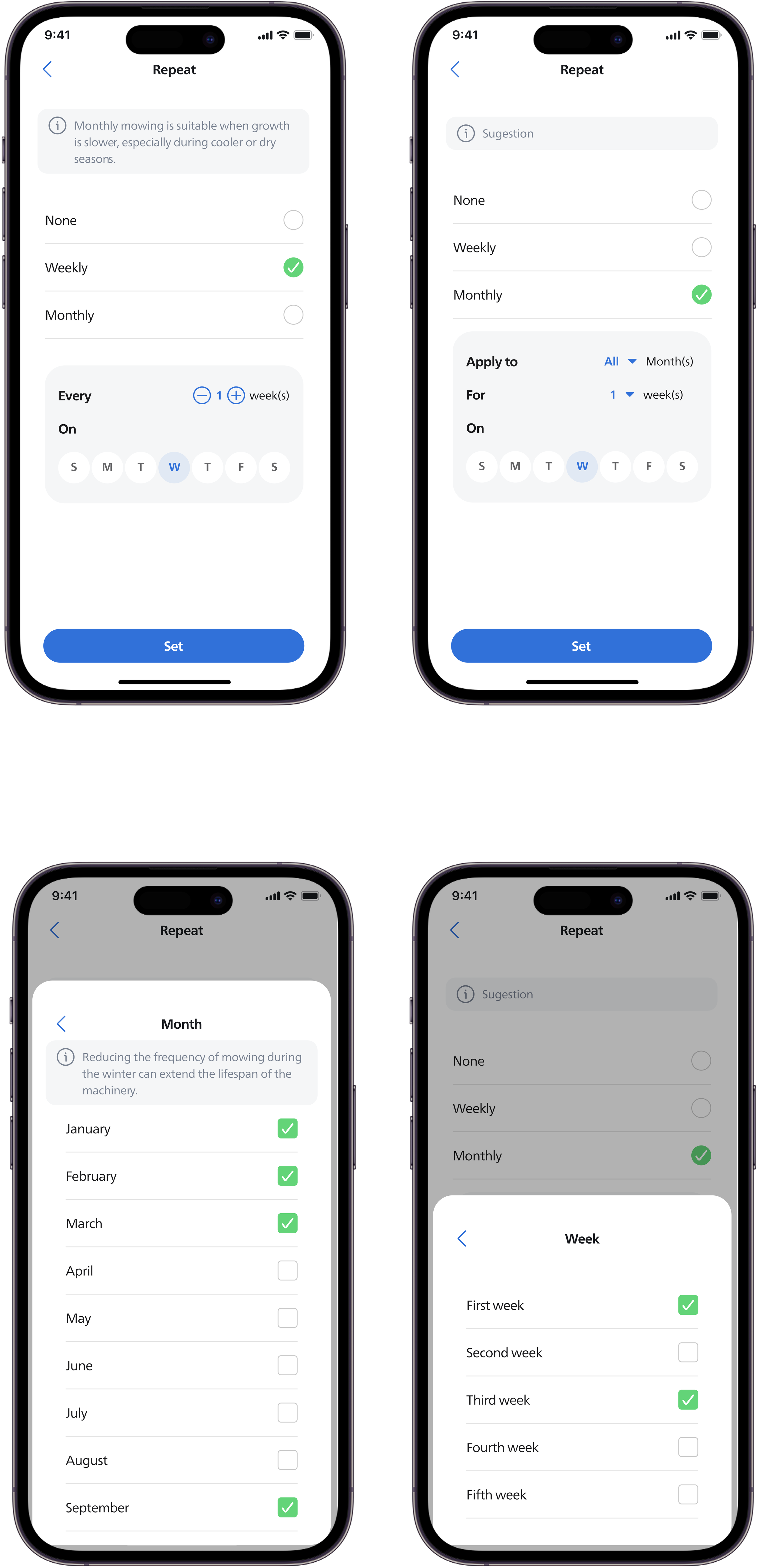
The repetition setup offers flexible options, including one-time, weekly, and monthly schedules. Guidance is provided to help users understand which repetition mode may best fit their needs, making scheduling more adaptable and confident.
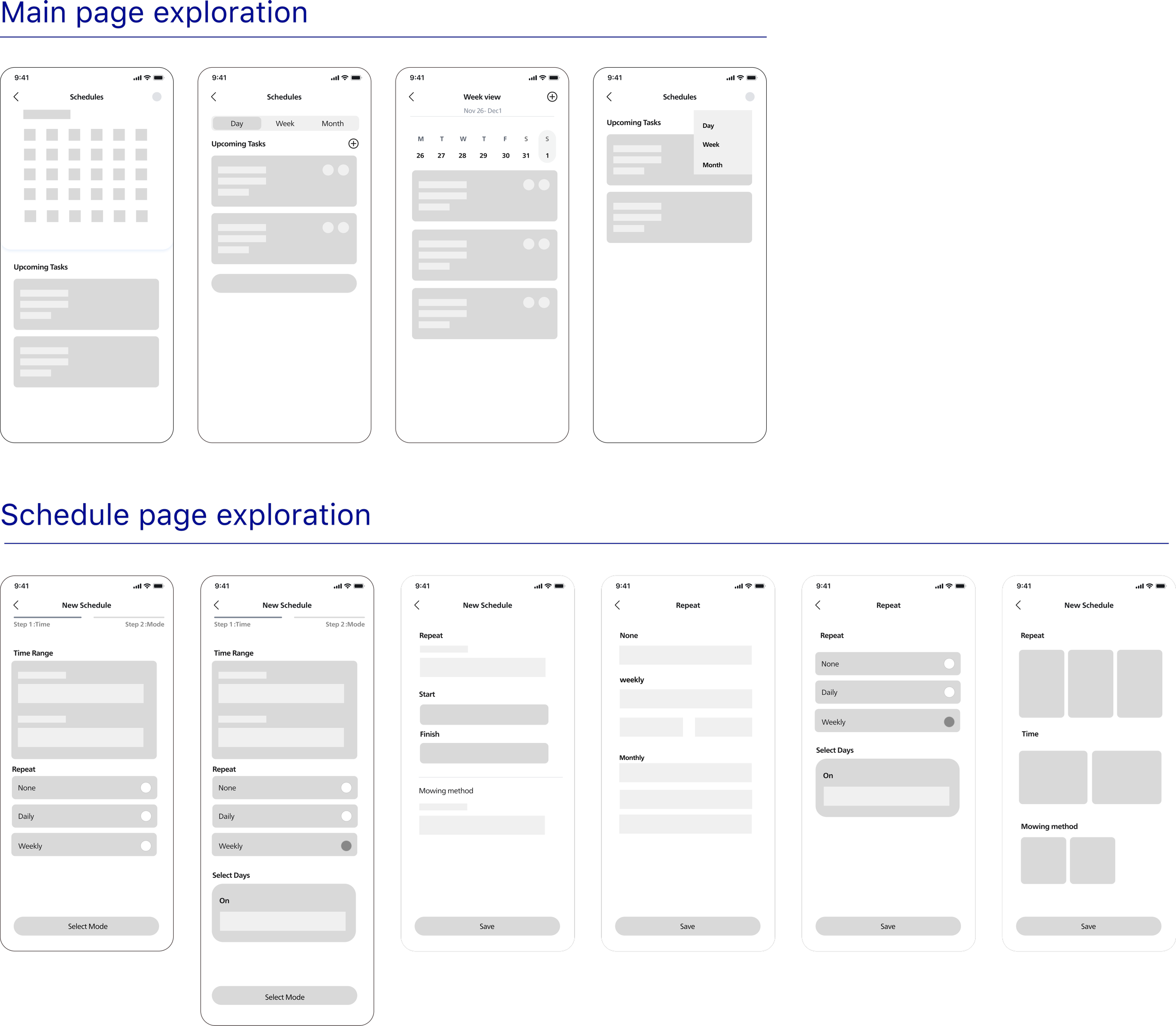
I structured ideation around two design questions: how to help users understand their schedules at a glance and how to simplify the creation process.
I generated multiple concepts for the main view and the schedule-setting flow, exploring different hierarchies, interaction patterns, and levels of guidance. By comparing how each concept addressed friction points such as discoverability and cognitive load, I converged on a direction that offered clearer structure and more efficient interactions.
The redesigned scheduling experience resulted in clear improvements across both user experience and efficiency.
User satisfaction increased significantly, improving from 3.2 to 4.6, indicating reduced frustration and higher confidence when managing schedules.
Operation time was reduced by 60%, enabling users—especially experienced ones—to plan and adjust schedules more efficiently.
In usability testing, users demonstrated clearer understanding of schedule status and recurring patterns, made decisions with less hesitation, and required fewer corrective actions, indicating improved cognitive clarity and time efficiency.
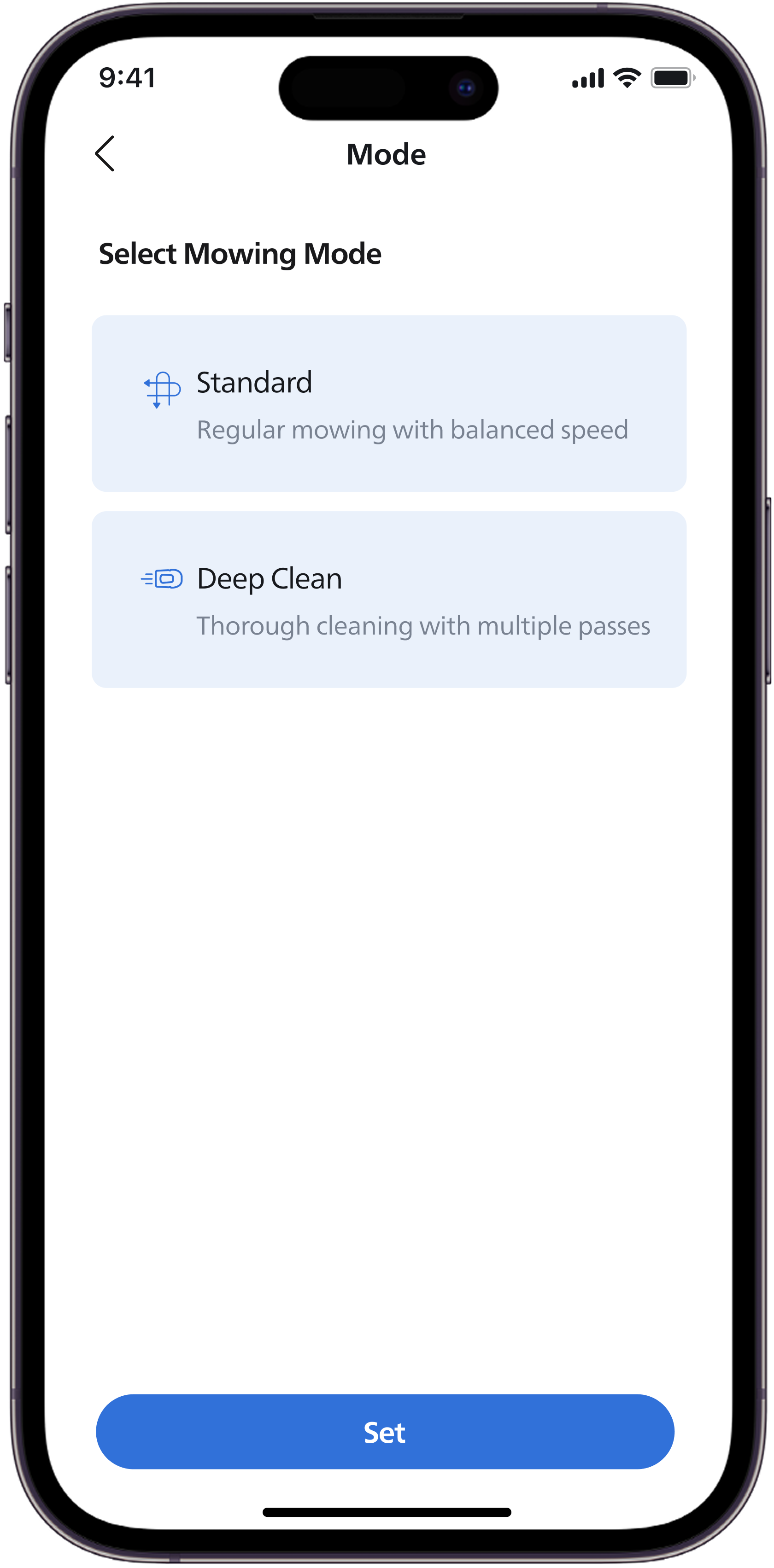
Choose the cleaning mode
The scheduling process is integrated with mower operation modes, allowing users to select the appropriate cleaning mode while creating the schedule. This ensures that the scheduled task aligns with the intended mowing behavior.