
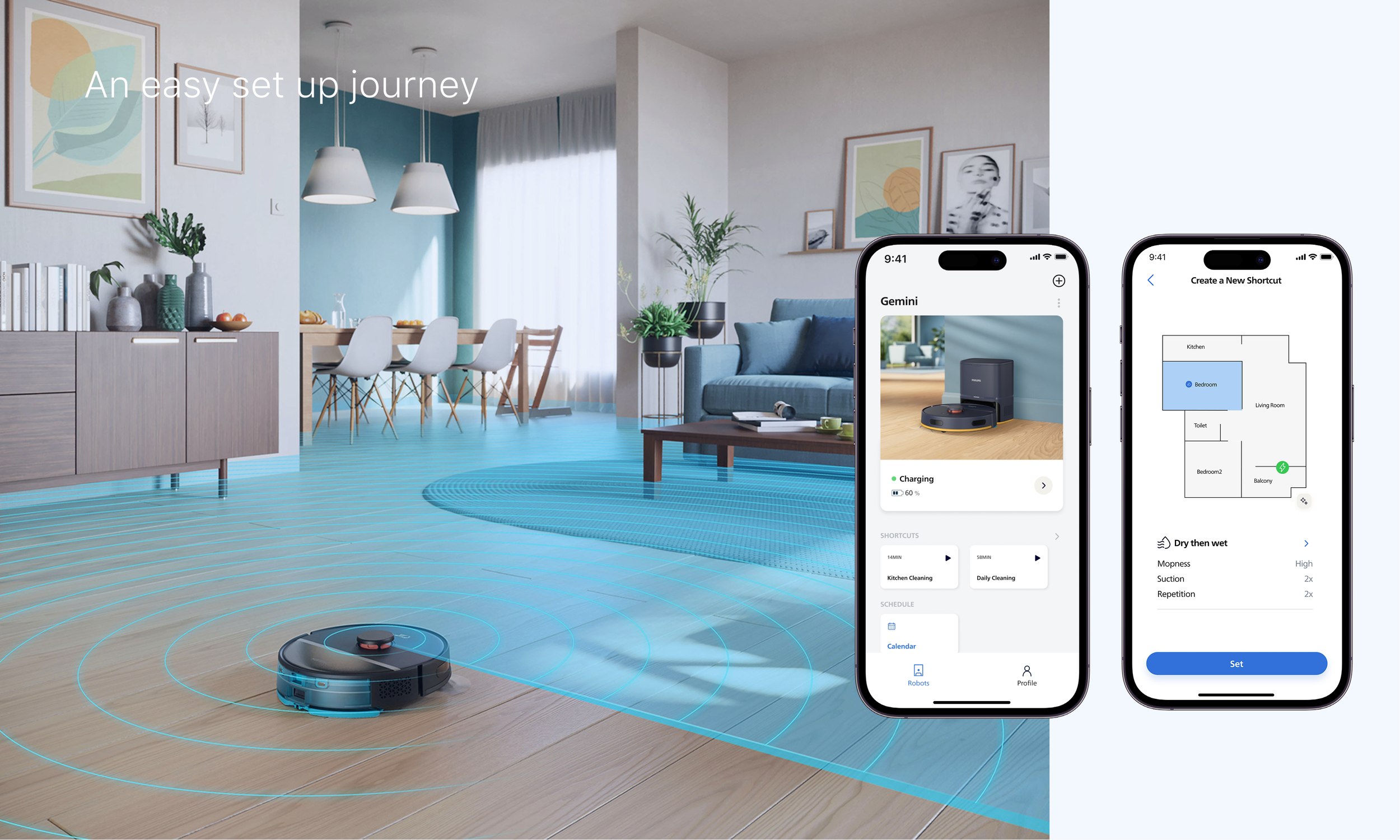
Reframing Interaction for Robot Vacuums
The cleaning functions of the robot vacuum have been integrated to enable quick startup and cross-device connectivity between the app and smartwatch, resulting in a more streamlined user workflow.
User research, UX UI Design, User Testing
Period
May 2025 – June 2025
My Role
End-to-end design process, concept strategy, interaction design
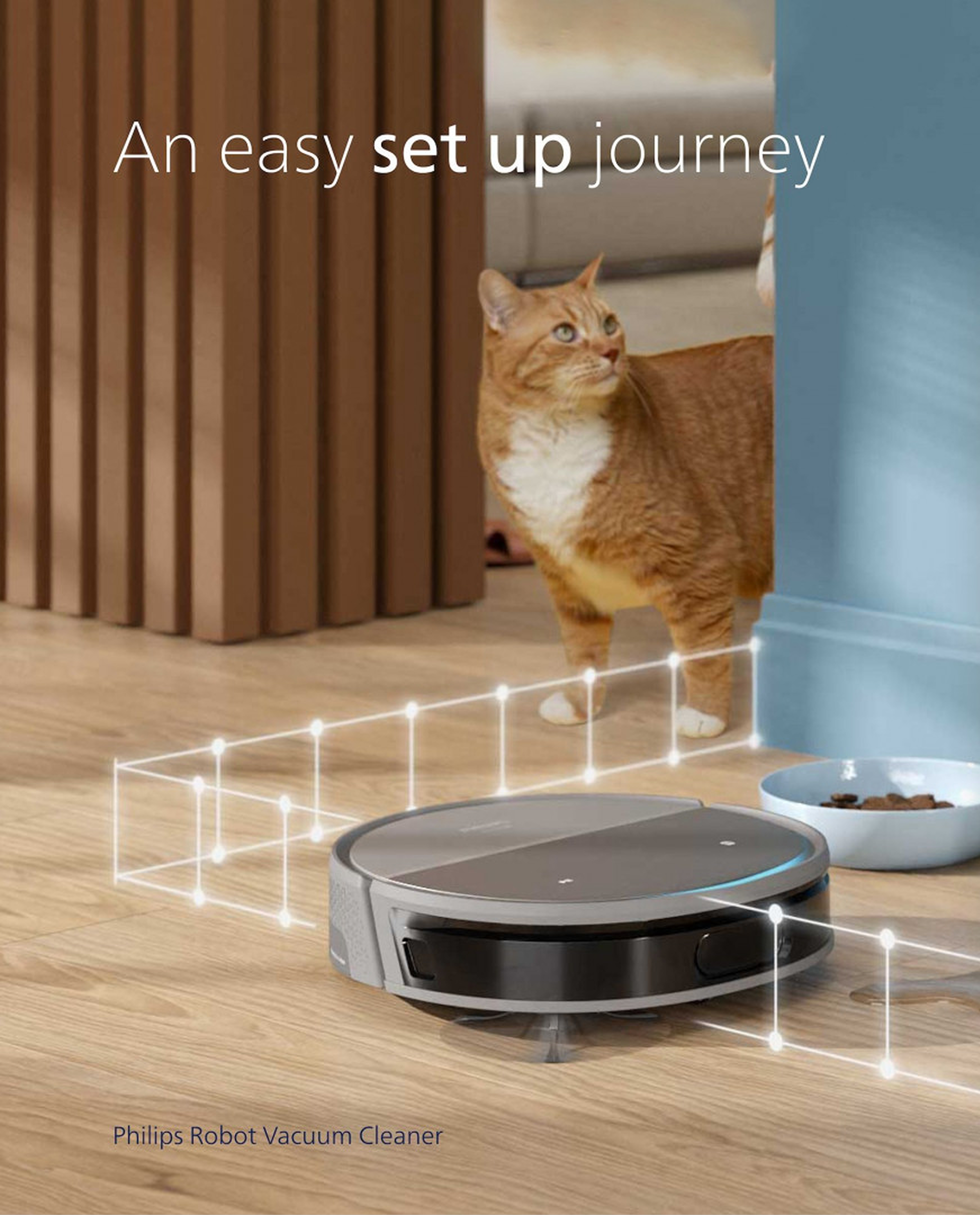
Design goal
Shortcut Page
Background
Robot vacuums have gained rich capabilities: mapping, zoned cleaning, multi-mode adjustment, AI voice interaction, personalized recommendations. But the user experience hasn't kept pace: simple tasks like cleaning a specific room or adjusting suction still require multiple steps. Meanwhile, users often lack understanding of and trust in the AI's decision-making, so advanced features go underused, with most people sticking to basic modes and the AI's full potential left unrealized.
This raises a core design challenge:
as the feature set keeps expanding, how do we keep high-frequency daily operations extremely simple while making AI automation transparent, trustworthy, and controllable?
The current interaction flow makes it hard for users to quickly launch desired commands. To address this, we introduced a "cleaning combination" feature and customizable shortcuts on the home page. During design iteration, we tested different information architectures to enable quick access to specific or frequent cleaning scenarios. User testing showed a clear preference for fewer steps to start the device, favoring shortcuts launched directly from the home page.
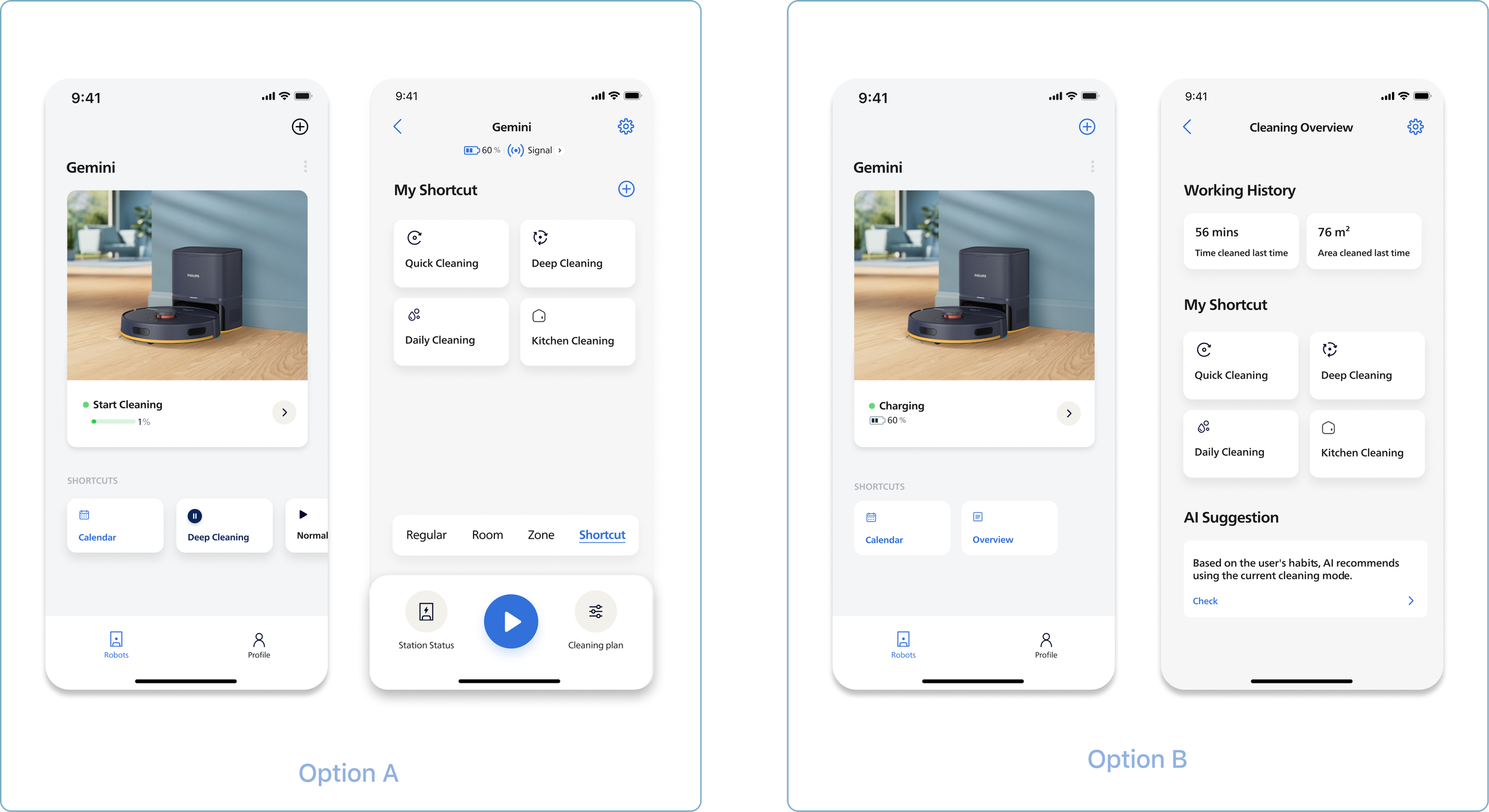
Transform complex cleaning configurations into intuitive, intent-driven interactions, enabling users to achieve desired outcomes with minimal effort while maintaining control and trust.
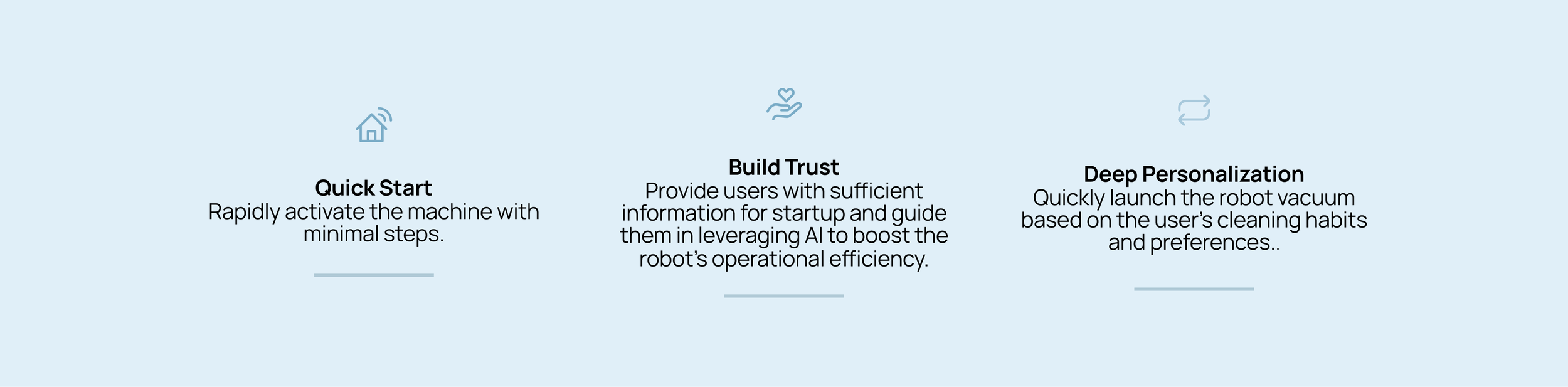

Design Iterations
Shortcut Creation
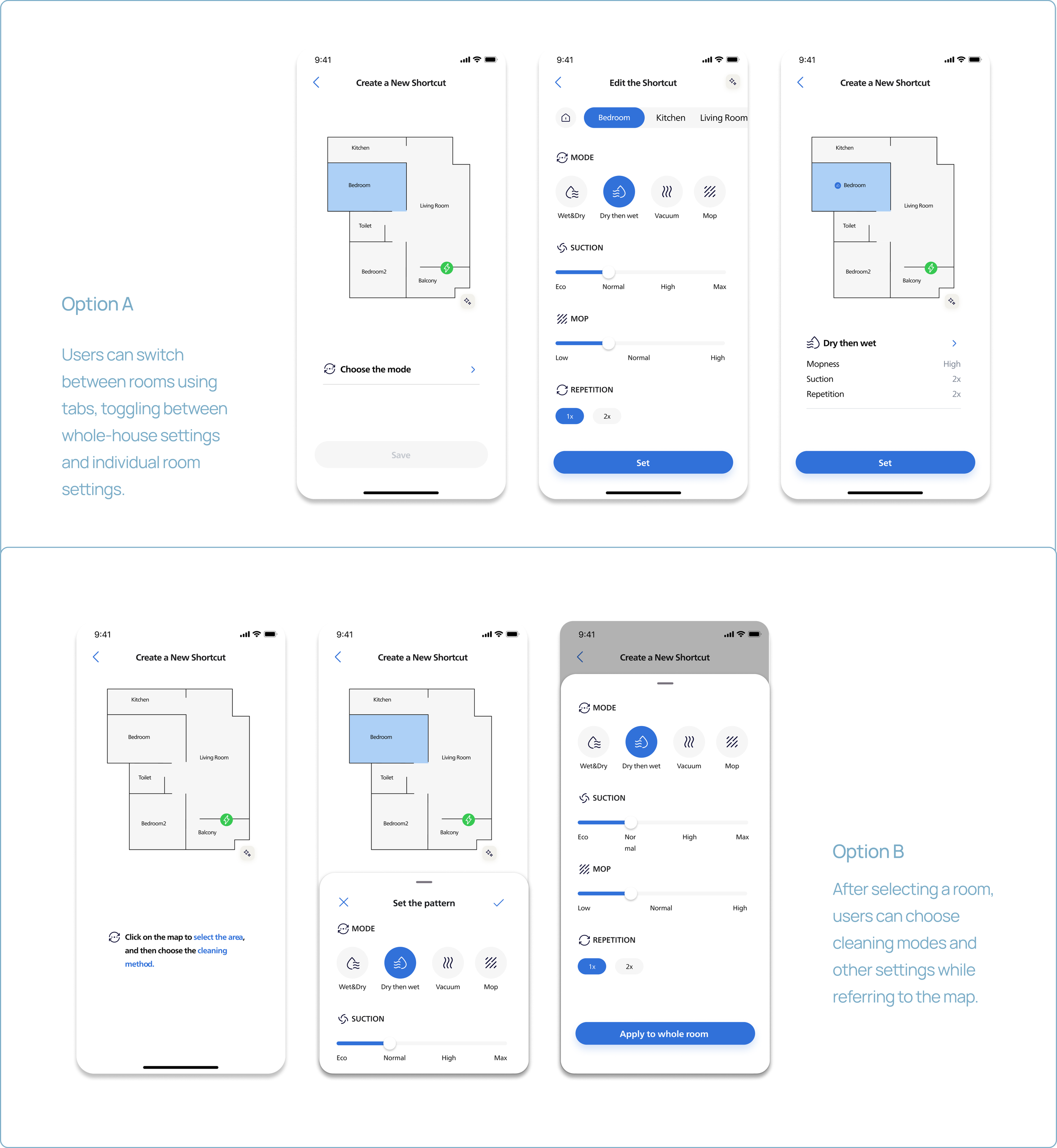
Customizing shortcuts requires two decisions: map selection and cleaning function selection. The design exploration focused on how users interact with these settings. Testing showed some users were confused about selecting cleaning modes in "Option B," while others found applying a configured mode to all rooms with one tap highly efficient.
Design Impact
The completion time for core, high-frequency tasks was reduced by 57%.
Meanwhile, the composite score for user trust in the AI's decision-making logic rose from 2.35 to 4.0 (on a 5-point scale)—a 70% increase—validating the successful realization of two key design goals: "extreme simplification of daily operations" and "AI capabilities that are both perceptible and trustworthy."
Final Design
Key Features
AI Assistant
For some users, they prefer to schedule their cleaning tasks in advance, the shortcut selection is also linked to the cleaning method options.
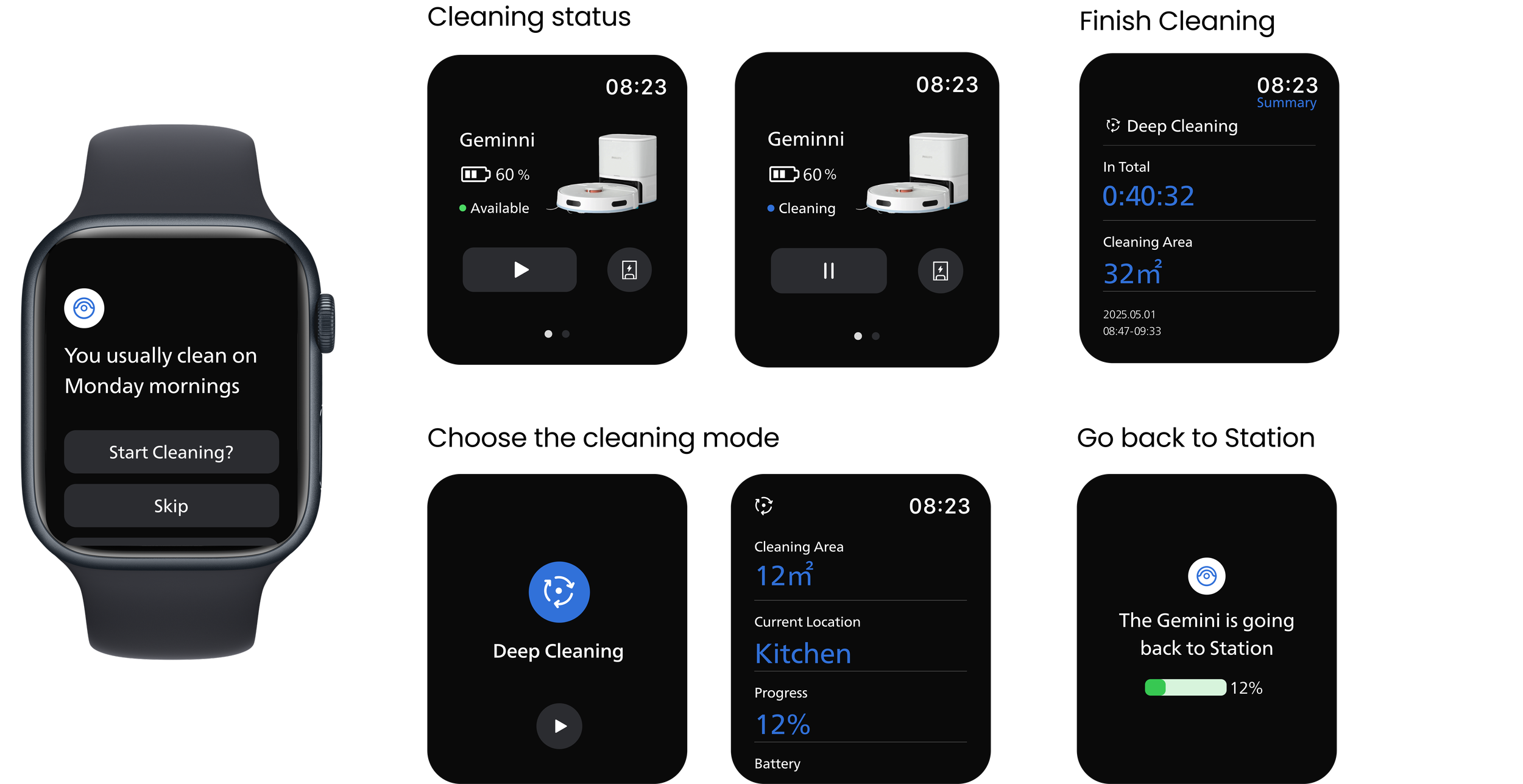
Watch companion
It surfaces the shortcut library on the wrist for the moments when the phone is out of reach — cooking, exercising, leaving the house.
AI assistant
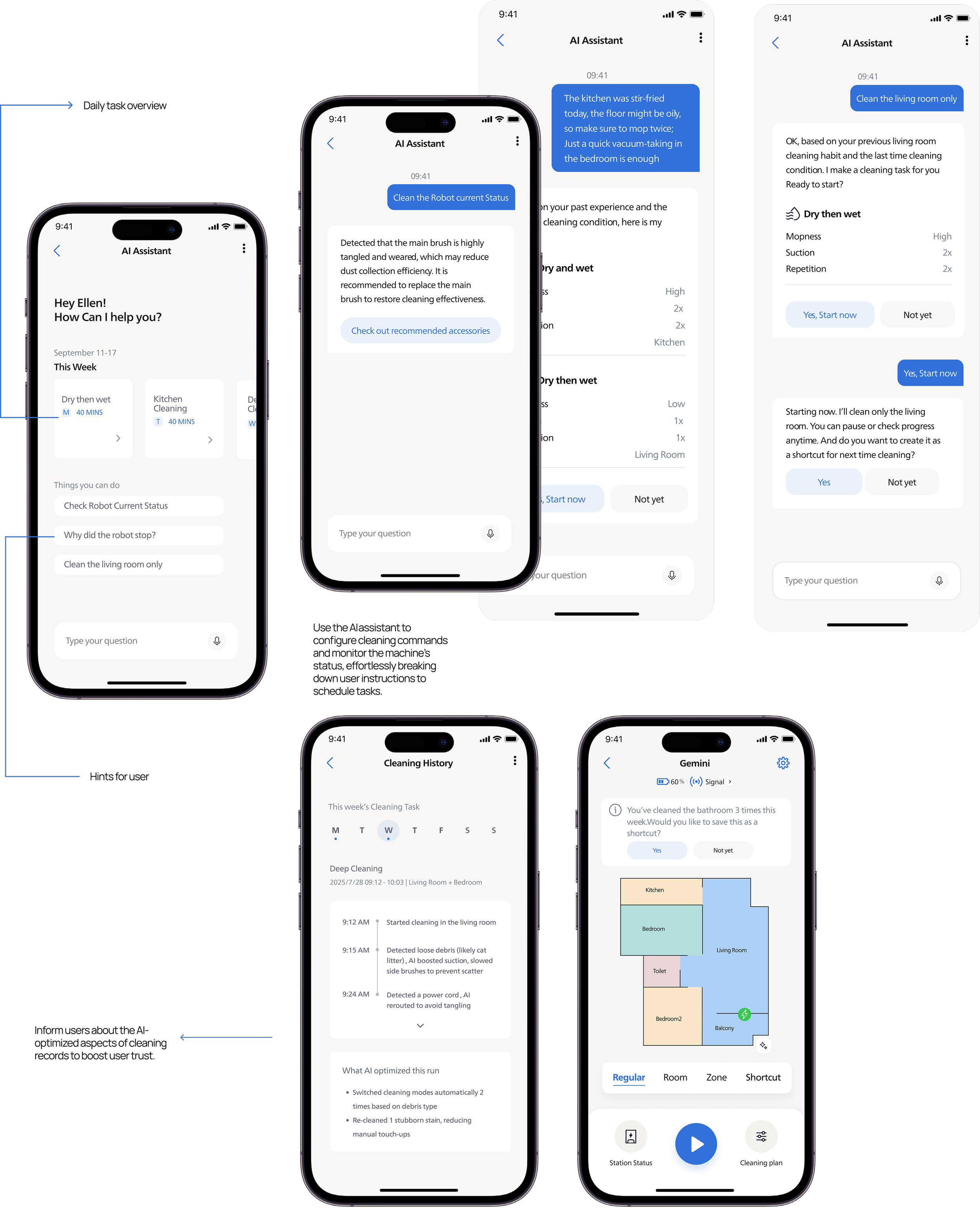
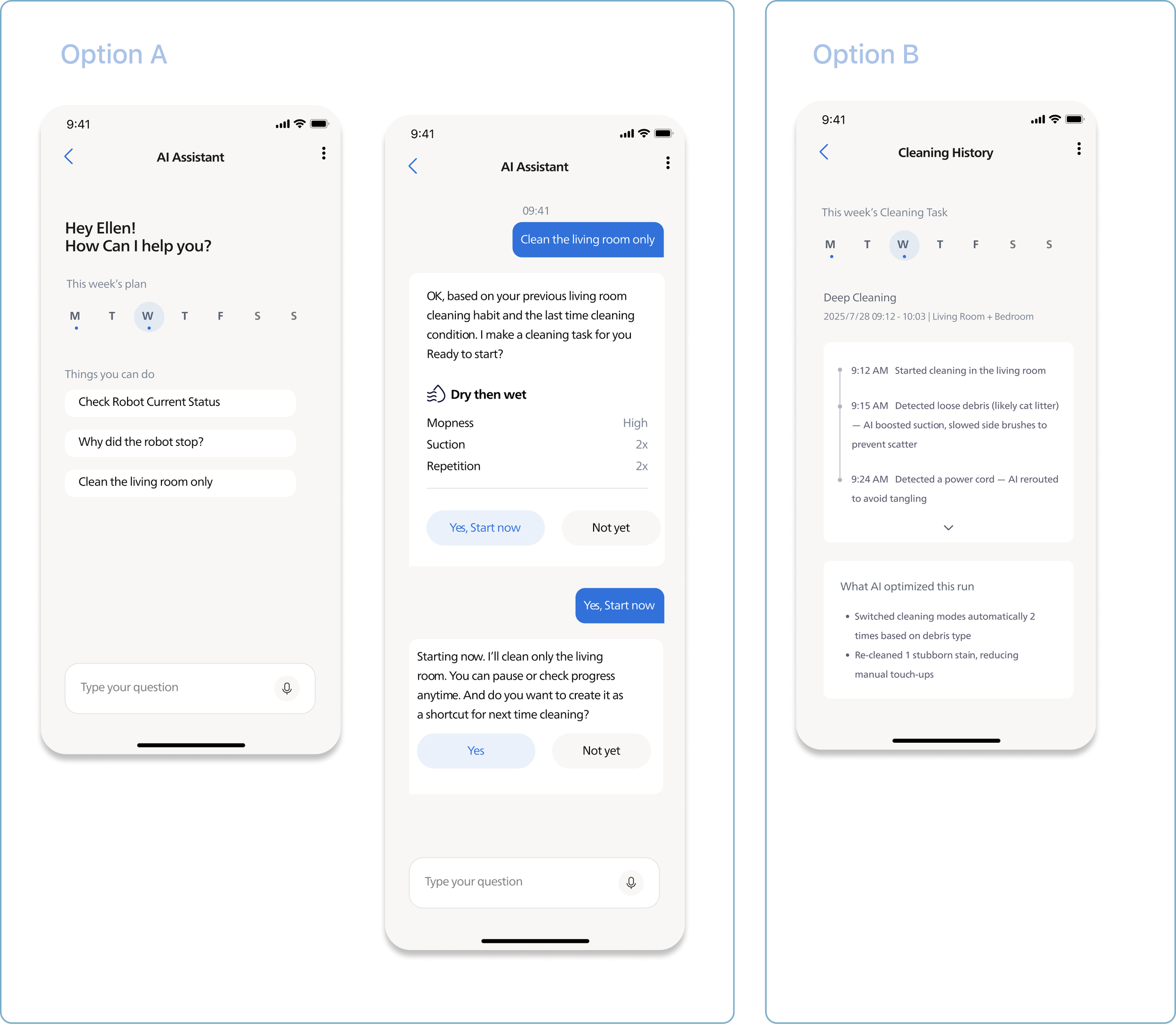
AI needs to bridge the trust gap between users and technology. Pain points cluster around three moments: before starting a task, during cleaning issues, and after cleaning when users often don't feel the AI helped. We explored two directions: an AI assistant for conversational adjustments, and post-cleaning summaries showing what AI improved. Both tested well, needing only minor hierarchy refinements.
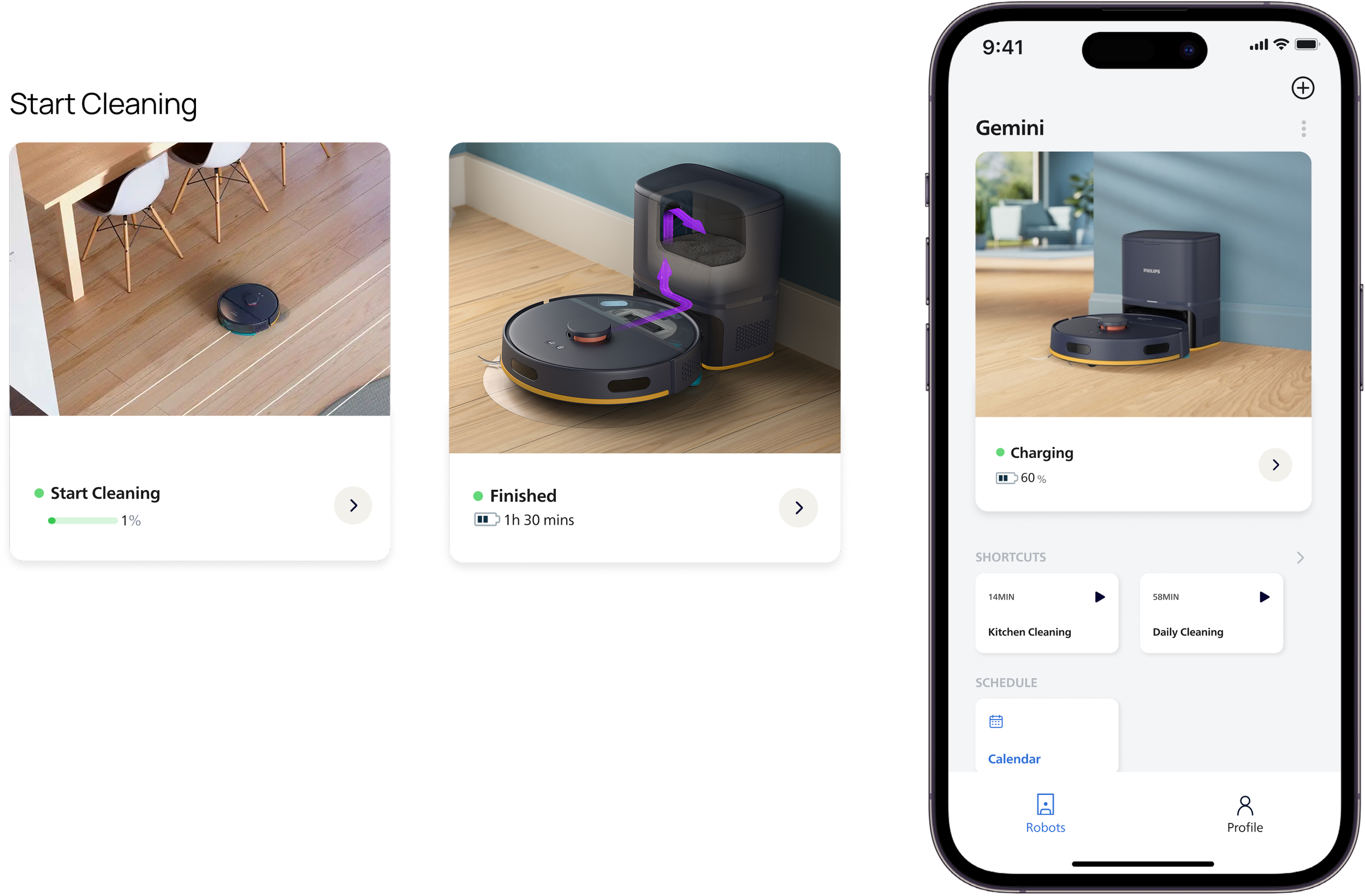
Home Page
User can start a quickly cleaning in the home page. Pre-configured bundles of room + mode + intensity. Fast and customizable.
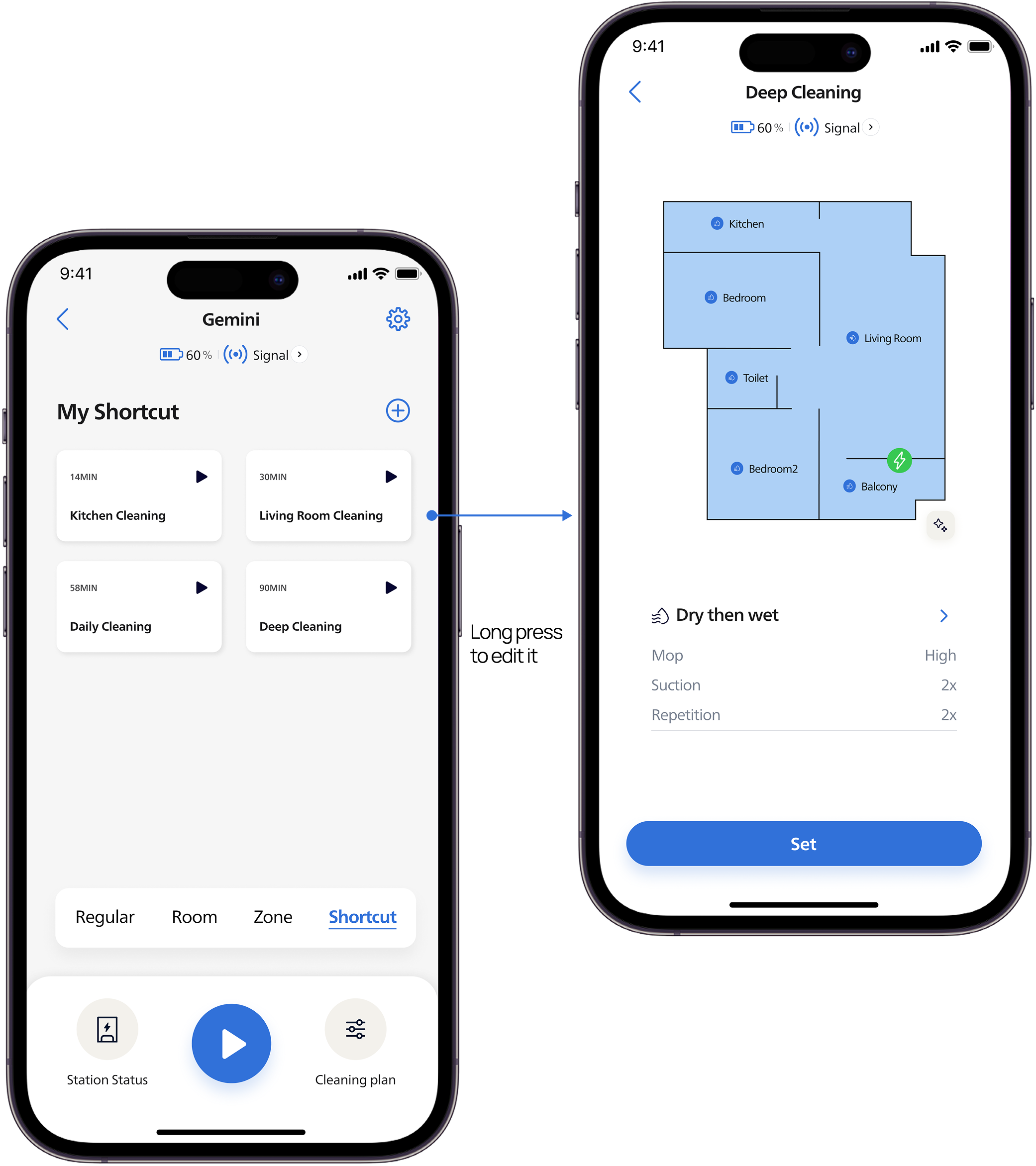
Shortcut List
The system provides a default shortcut for users to use out of the box.
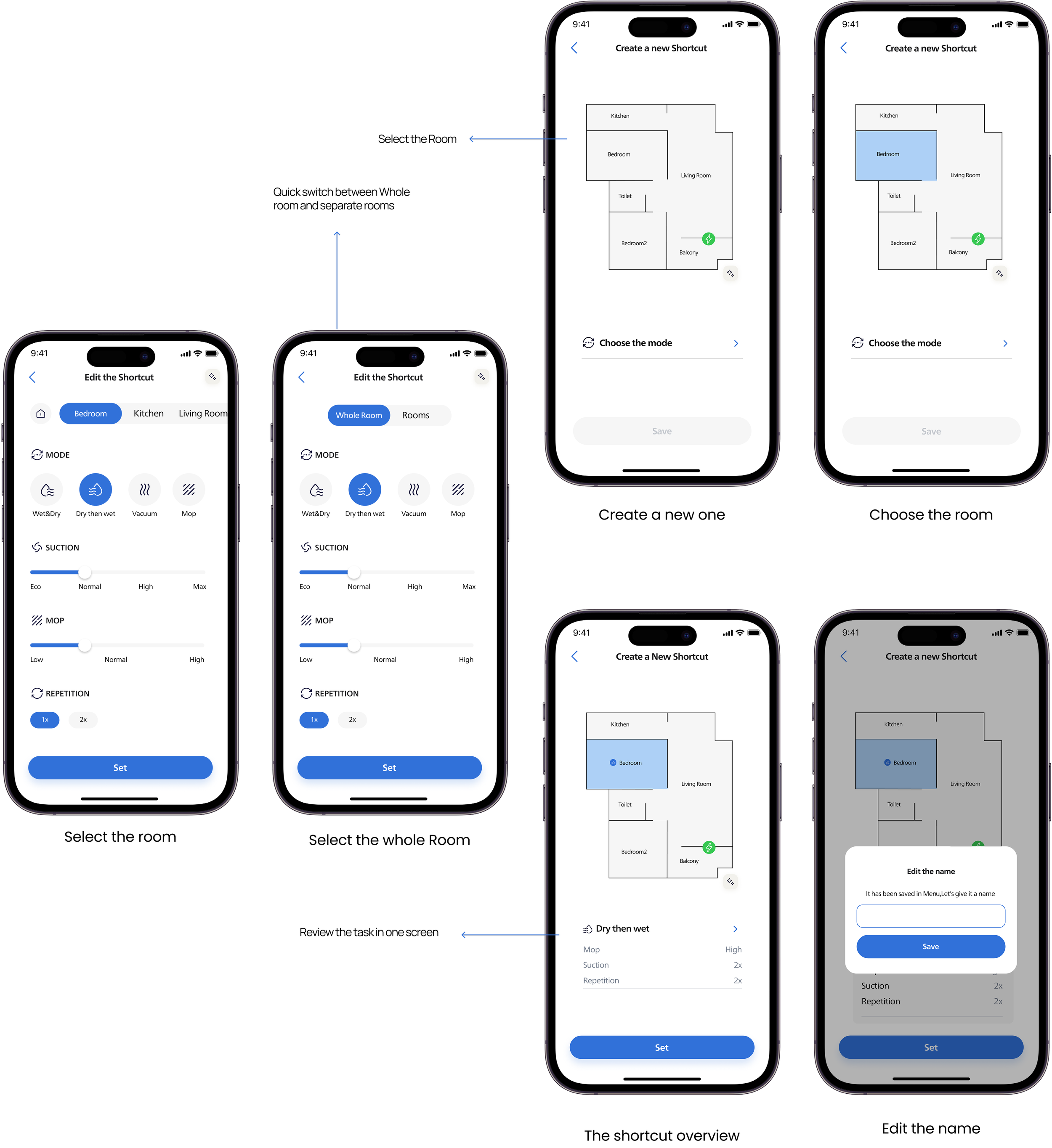
Create a new shortcut
Users can quickly start a cleaning task on the home page. Pre-configured bundles of room + mode + intensity. Fast and customizable.